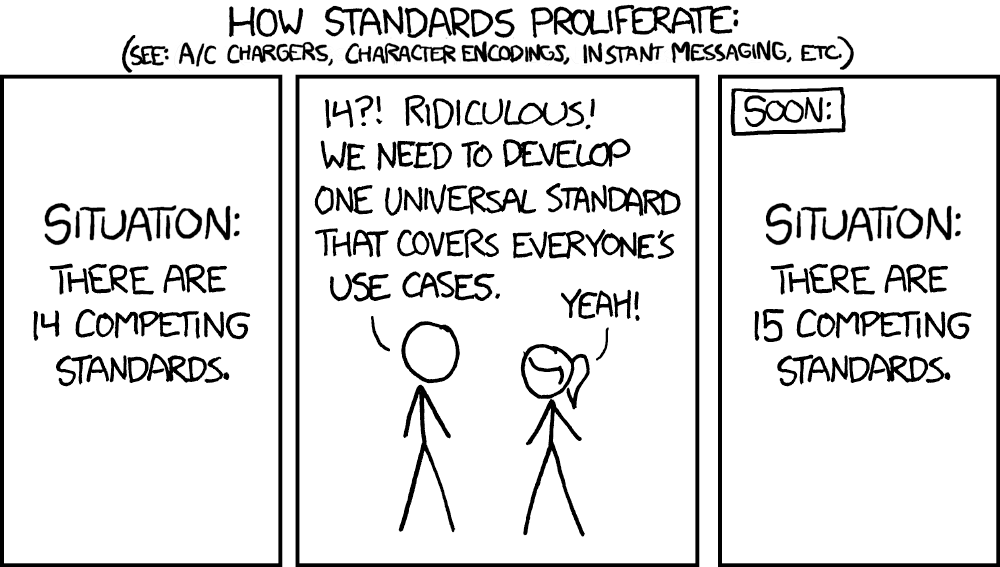
I don’t think having a dedicated section to learn C++ would benefit both the PROS devs or the Users. There are tens (if not hundreds) of thousands of resources on learning general and specific C++ features.
If that section were to be added, it would require the following:
Writing the Section
Verifying all information is correct
Maintenance
Supporting users struggling during their Learning process
If the PROS devs had to maintain that, along with the kernel, their teams, and keep up with other projects, they’d basically be burnt out in hours. Not to mention they also have their school course-load to work on too.
Your example also barely gets someone started before just referring them to other resources which likely already have something along those lines written out. By cutting out the middleman of the example setup process, it can also lessen confusion when the example inevitably doesn’t line up with one of the provided resources.
And as @DrewWHOOP mentioned, PROS is a kernel for interfacing with robots, and shouldn’t try to be a full C++ resource. As with everything in programming, you MUST have at least a basic knowledge of the language in order to succeed in it. Anything specific to more advanced programming (with robots) not belonging directly to or with the kernel should instead be on the Sigbots Wiki, and general C++ code should be covered under the C++ docs and learncpp.com. Trying to cover too broad of an area just will cause too much confusion.
At the moment VEXCode is kind of in a rough alley. Although the template can compile fine with C++23, it is not guaranteed to work in later versions. The last time the template was updated was back in 2019 I believe. As for PROS, the documentation uses non-modern C++ practices as well, likely because PROS was initially in C so the developer was used to mixing older C practices in more modern C++ code. The issue is that even if I were to make documentation that is modern, at the moment PROS and VEXCode are using practices that were only standard 5-9 years ago. Therefore unless PROS and VEXCode fully update their templates and documentation I may likely write a tutorial that is frozen in time that matches these two systems, and make micro-adjustments after the updates were made.
I see what you’re getting at here - PROS uses C++ 20 and VEXCode uses a much older version (11 iirc?). However, C++ as a language is built around not using breaking changes, and many tutorials on learncpp, etc (especially the ones that we encourage new students to follow) are on core features and programming principles that would stay constant even if C++ was more volatile.
Hi since we’re all talking about this I’ve decided to go ahead and start this section on the wiki:
Let me know what other topics should be added to this section. I’m sure you guys have had experience with beginners and FAQs that should be added to this.
Even more generally, we have robotics basics here regarding your basic drive code and toggle stuff, this section could also probably use some new articles:
That looks really good, one thing I noticed when I took a quick look was that I didn’t see an explanation of syntax. I know whenever I learn a new language knowing the syntax helps a lot
Unless there are a ton of instances of smart cables melting that I’m completely unaware of, the current draw of the motors (and the gauge of the wires) has nothing to do with smart ports failing on the brain or motor. The RS485 data pins are even completely separate. Also, V5 smart cables have increased wire thickness specifically to support the higher current loads from things like V5 11w motors. Can you elaborate on what you mean by “thin wires”?
While most of the functionality of the V5 system is available in both environments, this does not at all mean that they are “identical”. Under the hood they each have some pretty significant differences such as entirely different scheduler types, different ways the program binaries are made/stored on the brain, and different supported C++ versions. And of course, the API for each environment is entirely different.
Neither VEXCode nor PROS “is” a VSCode extension. Both have VSCode extensions to facilitate their ease of use in VSCode, but both are more than the extension itself.
Ignoring the logistical complexity/impracticality of this (the libraries are not really “mergable”, they are completely different), you would also have to ask if the PROS team is willing to do this alongside VEX. To that end, I’m not even sure how possible it would be legally, depending on how the end product would be licensed you may need to get the consent of all PROS contributors for their code to be relicensed.
On topic, here are a few questions I have:
What is the end goal for VEX AI? Is it intended to be more of a classroom-based competition with robust mentoring to help students through the challenge? Or is it meant to be an avenue for the top tier of VRC HS and VEXU teams to go even further?
Advanced vision-based programming solutions are a way I think the program can continue to stay relevant for higher tier VRC teams and VEXU teams, especially with the introduction of the new V5 AI Vision sensor with AprilTag support. Are there any plans to introduce CV markers such as AprilTags into the field and/or field elements/game objects for more approachable CV techniques?
To add to 2, are there any plans to open source the algorithm behind the GPS strips and sensor? In some scenarios, the GPS sensor off the shelf from VEX is inadequate, and teams prefer to rely on their own localization techniques. If the GPS strip and associated algorithm were open source, teams in VEX AI and VEXU may be able to take advantage of the GPS strip using their own cameras and processing.
What is the status of the VEX AI Stereo 3D camera?
I have guessed that motor ports breaking is likely due to thin wires. Regardless if that is the culprit, ports are still breaking. Perhaps the true reason may be static, which could indicate that the static discharge is shorting electronics where they should not be. I don’t know. There’s a problem and it’s still occuring throughout almost half a decade, including but not limited to white screens.
I want to repeat. Despite minor differences, both PROS and VEXCode are near identical on paper and functionality. If you treat both of them as a black box, where one side is the VEX API, and the other is the front-end, despite minor differences, they are near identical on paper and functionality.
If you set aside LVGL and the graphics, the VEXCode’s event callbacks, PORT1, etc. and the small minor differences, VEXCode and PROS are nearly identical. I have even made my own LVGL menu before, I have made my own VEXCode menu. Of course the menus are different, but I’m not talking about those things as most people in VEX don’t use the menu’s as much as they use the core components (motors, controller buttons, sensors, etc). The front end is treated identically.
For example:
Mutexes (besides the wording give/take, and lock/unlock, they are identical)
Motor creation (besides the PORT1, reversed and 1,-1, they are identical)
Tasks (besides VEX task functions require returning int, they are identical)
I can continue, but you get my point.
Fundamentally, besides minor differences (such as LVGL and PROS depot), PROS and VEXCode are identical. There doesn’t need to be such redundancies, when you can probably incorporate much of PROS functionality into VEXCode especially given the financial incentive to do so, by being able to control the market of learning, a core component to hook people into the VEX ecosystem by showing its simplicity and ease of use.
I believe you are disagreeing solely for the sake of disagreeing. I am unsure if you are trying to play devil’s advocate or you don’t necessarily care about the fundamentals. Fundamentally, the front end is handled nearly the same by the end-user. I have confirmed this as I have written my own library that is drag-and-droppable between a PROS and VEXCode project with preprocessor checks. They are treated nearly the same.
I mean a VSCode extension isn’t merely a VSCode extension as they have typescript, jsons, etc. I don’t get your point. I believe you’re likely disagreeing solely for the sake of disagreeing. I can say the sun is yellow, and you can tell me that “well, actually the sun is a greenish-yellow.” It just sounds like context that isn’t necessary, but just to find a reason to disagree simply because you wish to.
Yet again, I’m talking about fundamentally. Not unnecessary specifics for an “actually” response, if that makes sense.
They don’t have to be “mergable.” They can do either the following:
They simply can incorporate the same PROS front end as pros:: namepace or something of the like, that interfaces with the VEXcode infastructure. But that’s a suggestion.
Or you can simply extend the vex:: namespace to handle the same PROS constructors
Some useful additions could be incorporating the = operator overloading that the older ROBOTC and PROS C users love. But honestly, I feel like you’re missing the point. I’m talking about fundamentally, both PROS and VEXCode are identical in the front end and there really doesn’t need to be two systems that almost do the same exact thing for C++.
As per the whole PROS thing, I’m just talking about the fundamentals. You don’t really need to copy anything with PROS. You just merely add functionality into the VEXCode libraries that doesn’t yet exist fully that may exist with PROS (i.e. -1 and 1 for ports), so that you don’t need to incorporate a new device to all of the other systems (basically, it’s redundant to have to incorporate a sensor into a C++ library twice), yet have access to new sensors when they release.
Yes PROS and VexCode have somewhat similar APIs, but I don’t really see your point here. What’s the point in “merging” them? Who does it benefit? All I see happening is a ton of work, legal problems, and more for no real gain.
There are fundamental API differences too. VexCode is a lot more verbose compared to PROS imo, which I’m assuming originates from it’s connection with block code.
// this in PROS
motor.move(127);

// is the same as this in VexCode
motor.spin(forward, 12, volt);
Of course if you still keep both apis but in separate namespaces you could still allow users to use the PROS api if they want, but then you aren’t solving any redundancy. It would just end up confusing new programmers who won’t know the difference between a vex::Motor and a pros::Motor.
What sazrocks meant is they are both more then just a VSCode extension. PROS is made up of the PROS kernel, which is a part of the user program, the PROS CLI, which manages projects and uploads to the brain, and the PROS vsc extension, which is just a wrapper for the CLI to make it more user-friendly. It’s a similar story for VexCode, just without the CLI.
Simplifying them down into them “just being a vscode extension” disregards all the nuance which actually makes the two different. Merging PROS and VexCode means bye-bye to the PROS CLI, which annoys people like me who prefer to use the terminal over the vsc extension, and kills any potential projects which could build off the CLI to create new tools in the same way the vsc extension does.
Another major thing which makes PROS different is that it’s open source, so you can go and see how it works yourself (which I have done multiple times), instead of VexCode where if you need to know any implementation details you have to scour the forum for posts by a developer like jpearman. I don’t see any scenario where vex decides to open-source VexCode, so a merger of the two would likely be done by adding the PROS api to VexCode then killing off the original PROS and it’s open-source nature along with it.
While I think making the APIs more compatible to let VexCode users use PROS libraries and vise versa is based in a good idea, if you look a little deeper it ends up causing a lot of problems and confusion just to slap a band-aid on something which I don’t think is really that big of a problem in the first place.
Also sorry if I come off as a little bit harsh, I just wanted to make my point clear that this would cause more harm then good.
I was originally planning on making a very very very long-winded post going over every sentence that was written, but decided that it is not worth my time and will lead to nothing. I will instead make a somewhat shorter post that goes over why combining PROS and VEX’s programs are unfeasible.
I would like to start this post of by saying that PROS will not be merging with VEX, and will remain independent from VEX for all eternity. We are committed to staying an open-source project that students can learn from by reading our source code and contributing to, fostering collaboration and providing valuable experience in real-world software development. If PROS was taken over by VEX, this opportunity would cease to exist, which is the last thing that we want.
In terms of @anon4126930 ’s remarks comparing PROS and VEX’s software products:
Sure, at the end of the day, both let users create a program that runs on the brain to use VEX devices. If that is the extent of functionality you are concerned about, I will yield that their functionalities are similar.
By just turning things into black boxes, the same argument can be made for a multitude of things then. Modern smart phones have a bunch of the same functionalities and user interface features, so they are all basically the same. A bit of a stretch, but cars follow the same logic then. If their internals are black boxes, they all have steering wheels and pedals to let people drive them. Very similar functionalities with minor differences.
However, I would like to remind everyone reading that both PROS and VEXCode/VEX VSCode have many more layers than just the final program. There are a loootttt of pieces in each.
There are clear internal differences (both in hardware and software) between iphones, google pixels, samsung galaxies, etc. A hyundai sonata and toyota avalon may be similar if all their internals are treated as a black box, but combining the two into a single vehicle is no simple task.
Moving away from these rushed analogies, both VEXCode and PROS can be reasonably divided into 3 layers:
User front end (PROS VSCode extension, VEXCode programs, etc) → Compilation, brain communication, etc. (PROS CLI, vexcom, tools built into VEXCode) → the APIs (PROS kernel, vex api)
Starting with the VSCode extension:
I am struggling to even understand what this means. Of course a VSCode extension isn’t just a VSCode extension, there is a lot required to make it work. They are written in typescript before being transpiled to javascript, and have numerous json files for configuring things such as extension start requirements, events, submodules, etc. I suppose your mention of both having VSCode extensions was to support your point of them being “near identical on paper and functionality”.
Yes, both have VSCode extensions. However, the two extensions have drastically different functionalities and designs.
With VEX’s extension, when you download it from the extension store it comes with vexcom for all platforms (macos, linux, windows) due to how small they have managed to get these executables down to. Creating projects is done inside of their extension’s code as far as I can tell, and it is done through webviews. I can’t speak past this as I hardly even touch the extension, but just these 2 things make it significantly different from PROS.
PROS, on the other hand, does not come with our CLI and toolchain. Instead, once the extension is downloaded, it will check your system type and prompt you to download the latest cli and toolchain. This allows us to release updates for these without the need to release a VSCode update. Additionally, our extension is almost entirely a wrapper for calling cli functions with button presses (create project simply calls the cli and passes in user text inputed values for project name, version, etc.). Webviews are used for other aspects, such as our welcome screen, our brain view, integrated documentation, project settings editor, etc.
Sure, we could copy one codebase into the other and spend a few months rewriting stuff to make both work, but this would be a terrible experience for everyone involved, just to end up with a bad experience for end users. Just because both are written in typescript does not mean they can be slapped together with ease.
On to the middle layer (cli):
Vexcom is a binary for interacting with the brain. I believe it is written in C but am not sure. It allows users to upload programs to the brain, manage programs on the brain, run programs such as battery medic, and update vexos. It also has some features that are seemingly for internal use only, such as updating controller firmware, IQ and EXP bootloaders, etc.
The PROS CLI is a program for managing all things PROS and interacting with the brain, written in Python. It has the conductor module for managing projects, templates, depots, etc. It lets you build projects, compile them into templates, etc. It has a v5 section for managing programs, variables (team number, robotname, etc), screen capture, etc.
Two programs, each with functionalities only existing in one of them, written in different languages. It will take a significant amount of work to turn these into one program.
Finally, the lowest level layer/API.
This is not my area of expertise, so I will not try to go in depth here. PROS uses FreeRTOS as our scheduler, which is what allows tasks and other things to work with PROS. VEX uses something else, which is what allows their tasks to function properly. If you make tasks in PROS vs VEX’s program, they will behave differently. It may not be noticable for simple tasks, but because our scheduling is different, the behavior will be different at some point.
Now we can talk about something like the v5 blocks that are “When controller button pressed”. I am under the impression that vex has actually implemented some event system in their scheduler where these events activate immediately when the button is pressed. However, PROS does not have this functionality. We rely on the “get_digital_new_press” function to be called often by a user task, in order to get the feeling that things happen as soon as a controller button is pressed.
These differences at the very least cannot be overlooked. They define VEXCode and PROS’ behavior, and trying to have both work at the same time would be terrible.
Overall, if you were to take VEXCode and PROS and try and merge them into one program, you would spend years creating a product that winds up being different from both VEXCode and PROS, hurting users even more while wasting tons of time and resources.
I think you are misunderstanding. PROS and VexCode are not VSCode extensions in the same way that C++ and Rust are not VSCode extensions. These extensions exist to help you use the software, but they are entirely unnecesarry to use PROS and VexCode because the core functionalities of these utilities are separate from the extensions.
“When you have 1 choice, you have 0 choices”
As someone who has championed the benefits of open source in my DMs, I am shocked that you would suggest getting rid of an open source option, and it is very unlikely that the way this would go is VexCode becoming open source.
I have tried both vexcode and Pros, but I have stuck with VexCode, just because I like the API calls in vexcode that are easier to remember, and easier syntax. That being said, I support Open source things, and I hope Pros continues to advance.
Pros has better documentation, but that was not enough to make me want to switch.
As I get better with C++ (I’m still a beginner), Pros might make more sense to me, but I just wanted to point this out.
Vex pros is what we use and honestly I’ve never tried VEXcode because I’ve heard it’s never worked properly and vex-pros is more exactly and more likely to always work
You never see bug reports that say VEXCode works properly. If you never tried it and only cared about the occasional bug reports, you’ll never think of it well.
VEXCode is actually a great software that runs much better than what you might have heard about it (although there are a few errors that might happen).
I’ve ran vexcode for 4 years (2 years text) and besides the occasional slow download for “python system files” it has always worked fine. With the new documentation being added, Vexcode is everything I’m looking for in a coding platform.
I’m very disappointed that it will no longer be available from the web store. The site is definitely slower from my experience.
That’s due to Google discontinuing Chrome Apps, and not by Vex’s choice. You may (I haven’t tested this, nor can I do so) be able to use the Google Play Store version, though it may not work properly in all situations.