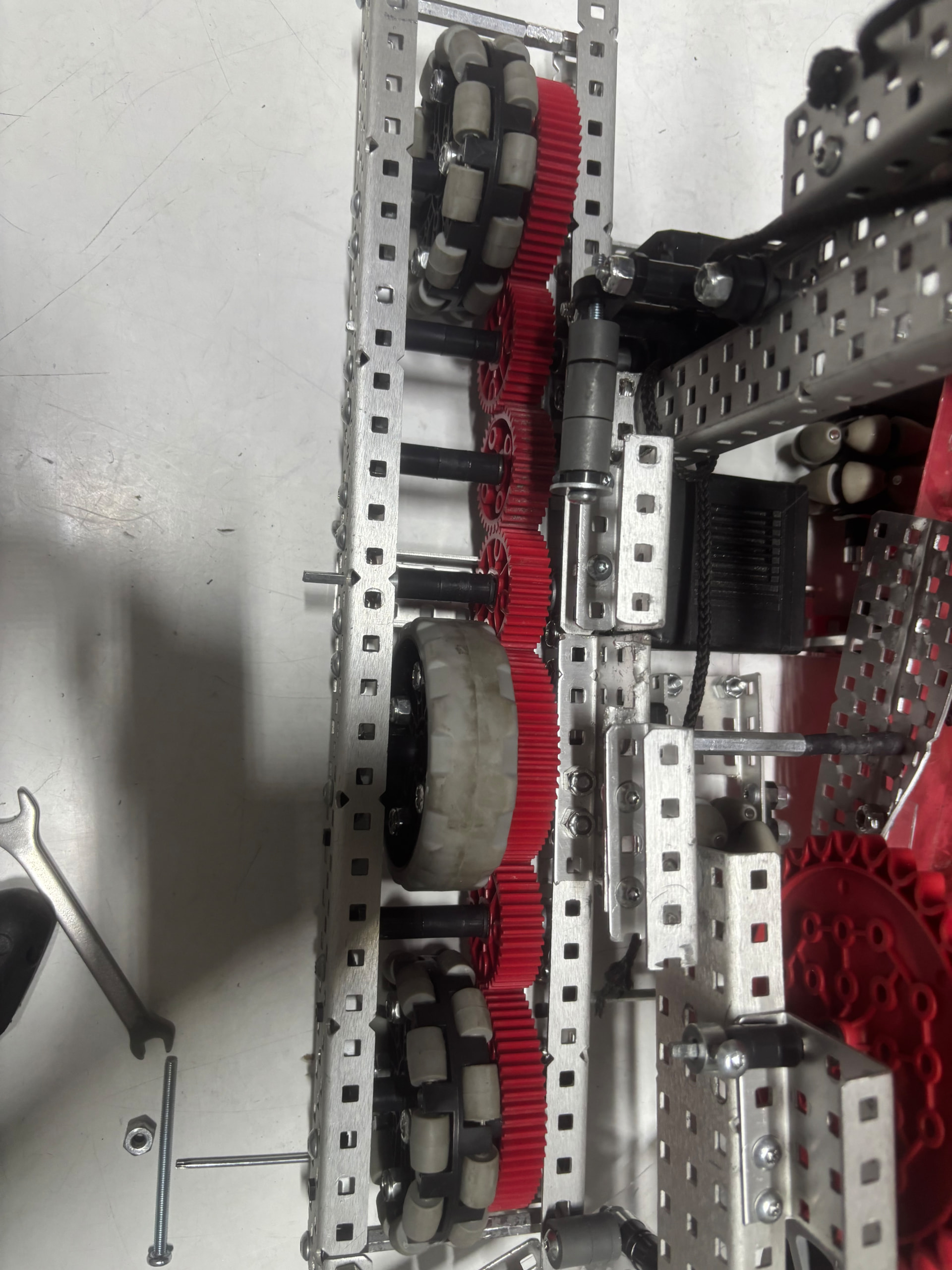
Hello, we are experiencing a persistent issue with our chassis. Although there are no visible signs of friction on either side, the robot pulls to the right when we operate it. What do you think might be causing this, and how can we resolve it?
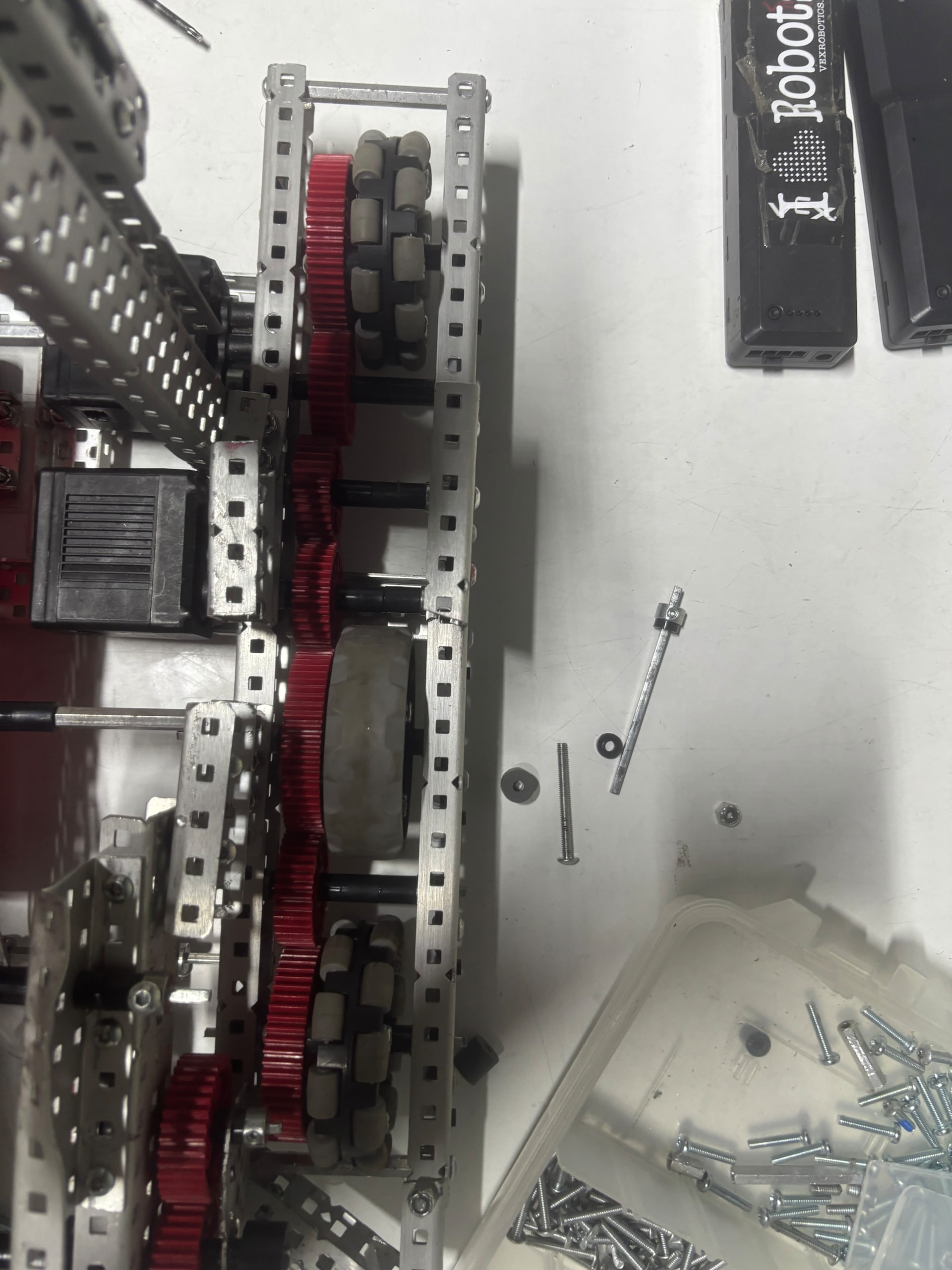
I don’t see anything that would be a super easy fix. However I’ve had a similar problem happen a few times. Some things to check;
~Are all of your motors functioning (all are spinning, same speed, not overheating or malfunctioned. Check the individual motors via the devices section in the brain, and check the code for anything wrong)
~If all of your motors seem fine, check for friction. I know you said you couldn’t find any, but it can still be there. It’s very sneaky sometimes. Make sure that your spacers aren’t pressing against the metal/bearings/wheels too much. Also make sure that you have bearing flags on every single axle possible, and you could potentially drill them, but that’s more of a last resort.
~While it is unlikely, make sure nothing is dragging on the field or hitting the wheels.
~Make sure your axles aren’t bent. Even a tiny amount of bending can adds lot of friction.
~If you’re using screw drive, make sure that the inserts are functional and aren’t adding any friction either.
Lastly, if all else fails you can make the side that’s going too fast slower so that they both are equal. This can be done by adding friction or slowing it down slightly in the code. This is a last resort effort though, and I would strongly advise against it. Sorry for the whole essay, drivetrains can be hard. Good luck with it though, may the odds be ever in your favor. 
Before I go on to try to help, I used to be a builder. I am now a designer, and thus, I may have some knowledge gaps, I thought I could give at least a little bit of a help here.
First of all, I would like to thank you for the photos, they can help out here a little bit. I don’t see anything wrong here, but gere are some things to check if you haven’t already;
- Double check the spacers one more time. Make sure that there is a little bit of space where the spacers can move around a little bit on each axel. Not very much, but still where it is noticable. If there is none of that on some axels, that puts pressure on the gears and/or wheels of that axel, increasing the friction. Also, check for bent axels and screws in your drive. One bent screw or axel can cause an issue like that. I have a VEX kit at home, and I remember that one bent screw caused a similar issues with my own drivetrain.
- Check your motors. From what I see, you are running a 44 watt drive (perfectly fine drive by the way). Make sure all of your motors are running in the correct direction. I had a similar issue with a drivetrain last season, and that was the cause. Also, while you’re there, check to see if there is any overheating motors. Depending how old your motors are, they may make a beeping noise after a while, which a temperture sensor going off in the motor. Either way, when a motor overheats, it will often slow itself down to try to cooldown, or it may even stop moving entirely, causing the robot to pull to a side. Checking for errors on the brain can help with that.
- Check the code. If you are using something else other than a 4 motor drive (like a 55 watt drive for example) or your are just using custom code for your drivetrain, make sure it is actually correct. Very occasionally, custom code can do stuff like that.
- There is the potencial for a severe weight balance on your robot. This is very unlikely, but I still feel it is important to bring up. If you notice on side of your robot is noticeably heavier on the left side compared to the right side when you pick it up, that weight inbalance can cause issues. Note if that there is only a small balance difference (eg: one side having 2 motors and the other not having any at all on your intake), it usually would not cause an issue like that.
Sorry for the huge amount of text there, but those are the things I would personally check. Good luck!
First I would remove the standoffs in your drivetrain, as they are prolly bending it slightly, as the distance between the flat faces of the c channel is actually around 2.43 not the 2.5 length of the standoffs. Additionally you want more crossbraces on your robot. I would run a minimum of 2 full length braces on you robot. Additionally your lift attachment looks sloppy. Typical to attach upright c channels to drivetrain, you would use 0.5 in long u channels to “hug” the bottom 2 holes of the c channel.
Onto your friction problem. If you are using rubber bands to secure your motors to motor caps, make sure the rubber bands didn’t slip and get wound on the axle, slowing it down. Additionally chekc to make sure all axles are straight. After that if it still doesn’t help, remove the most central wheel/gear and see if one half of the drivetrain is causing the issue. If that still doesn’t help, try rebuilding and paying closer attention to friction.
Hello,
First of all, thank you for all of your suggestions.
Yesterday I spent almost the entire day inspecting the bearings, wheels, shafts, and motors. I fixed a few minor friction issues, but as I mentioned before, they were not the reason why the mechanism was running so slowly.
However, during this process I discovered something quite unexpected.
On the right drivetrain, I was using a mix of 36T gears. Some of them came from a Super Kit that I purchased about a year ago, while the others were ordered separately just last month. After comparing them carefully, I noticed that VEX appears to have made some design changes to the 36T gears.
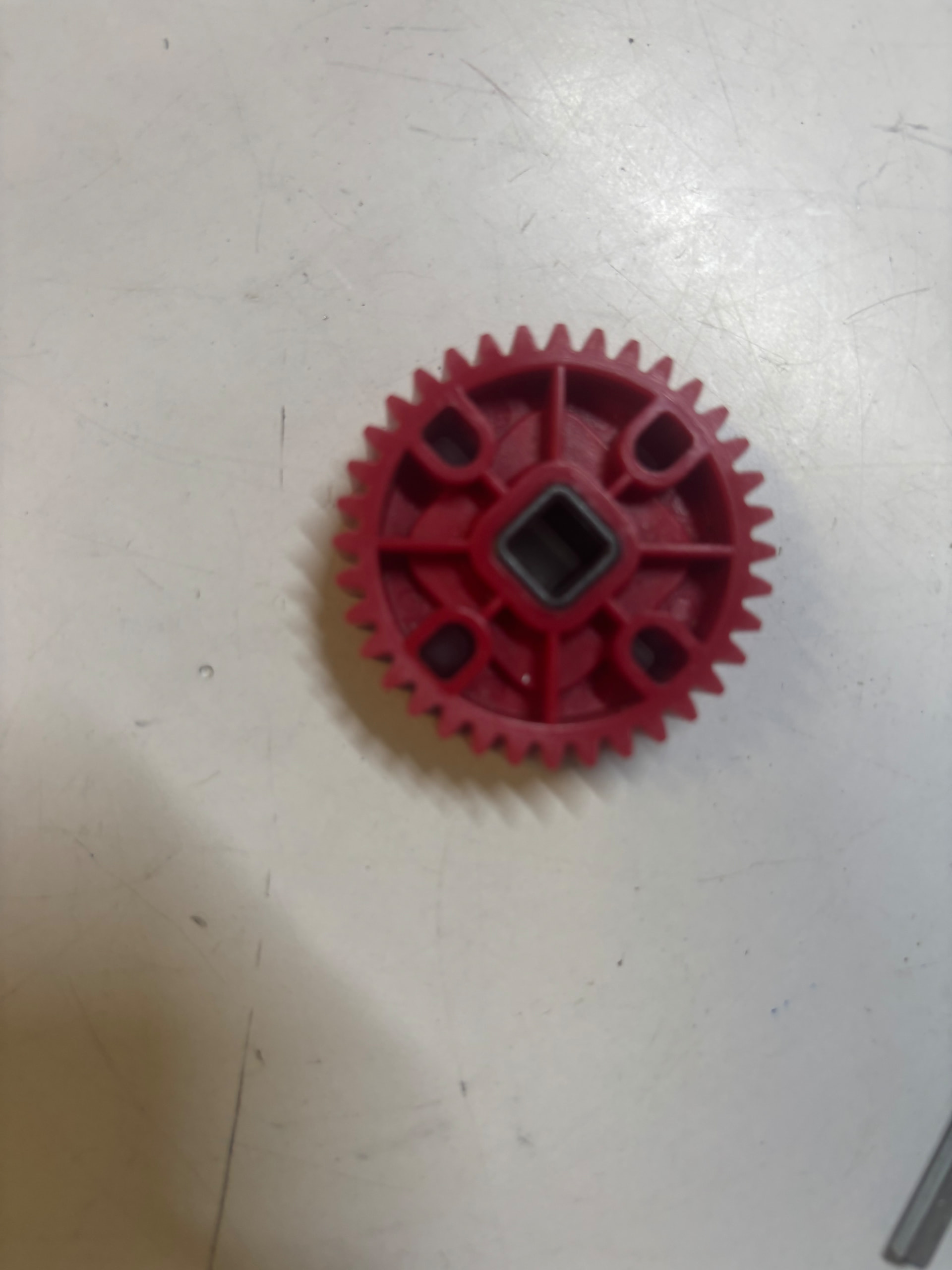
At first glance, the changes look like structural improvements intended to strengthen the part. However, when these newer gears are mixed with the older version in a compound gear train (such as the one mounted on my chassis), there seems to be a very slight dimensional difference between them. The difference is extremely small, but it is enough to cause the entire gear train to bind.
To verify this, I replaced all of the new 36T gears with the older version, and the system immediately began operating smoothly.
This leaves me with a few questions:
-
Is it possible that the gears I received are defective or out of tolerance?
-
Or did VEX intentionally revise the gear dimensions?
-
If the redesign was intentional, what was the reasoning behind it?
My current theory is that if I had also replaced the 60T gears with the newer revision, so that the entire gear train consisted of the new design, the mechanism would probably have worked perfectly again.
If that is the case, does VEX expect users to replace their entire gear inventory whenever a design revision is introduced? Mixing old and new gears causing compatibility issues seems like a significant concern, especially since there is no obvious indication that the parts are from different revisions.
Has anyone else experienced the same issue or noticed compatibility problems when mixing older and newer VEX gears?
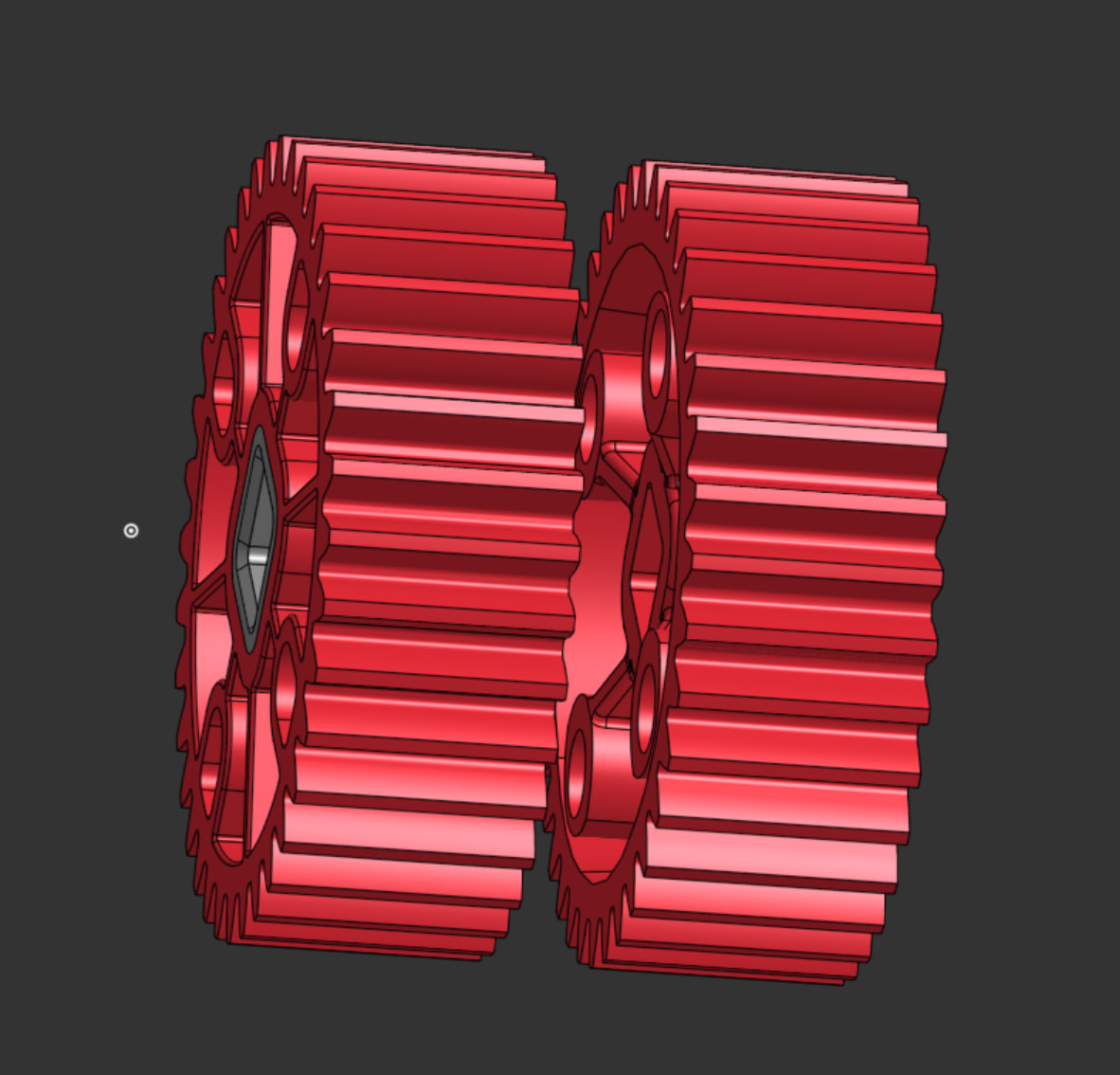
I have also made a drivetrain with the different 36T gear, and somehow the fitting on one side was a bit to tight and it actually caused some friction problems. I think this is what is causing the problems. I looked at gears and tried them but they kinda just didn’t work together.
I don’t know if anyone replied with this. In addition to that, it’s my first year in VEX V5, but you might also have an issue with the weight distribution among the chassis and the drivetrain. This can be an issue because if one side of the drive has a greater weight than the other, it would be pushing against the ground with more force, generating higher friction, whereas the lighter wheels may slip. Again, I’m a beginner and I don’t know if this is going to be that helpful, but I just wanted to try responding.
Yeah on of the problems our team has faced is a slight difference in spacing on our shafts or screw joints. So in order to test this just spin the spacers and they should be able to spin for a bit and if one is tighter/looser than the others that is probably the problem. But it also shouldn’t be able to free spin for a long time that is too loose.