Help Needed— This is our teams first time doing a choo-choo shooter and they have been working on coding it in the down position so they can load a ball on it. They watched some videos and read articles including the Ben Lipper video for coding and one that explained how to code a choo choo this… however, it is not stopping the catapult every time in the down position. It is stopping occasionally.
Sometimes it will continue into the shooting/launching part even if you want it to stay down and haven’t hit the R-up button a second time to launch it.
They have moved the sensor around, changed the amount of inches, and even looked at what it was registering on the brain for distance, but no luck on consistency.
They have moved the distance sensor to different locations trying to get a better read on the arm. They had it out front but felt that didn’t give it time to register, then moved it to the inside of the black circle.
Our question is… is there a secret to using this distance sensor they aren’t getting, are they coding it wrong, or is it about position of sensor.
I have practice tonight and would love to give them some things to try to make it less frustrating this has consumed their week! Our first time as choo choo shooters and using distance sensor!! Thanks in advance for any help!!
Can you provide your code? It would help with answering your question. In addition, any pictures of your robot and/or placement of the distance sensor would be greatly appreciated.
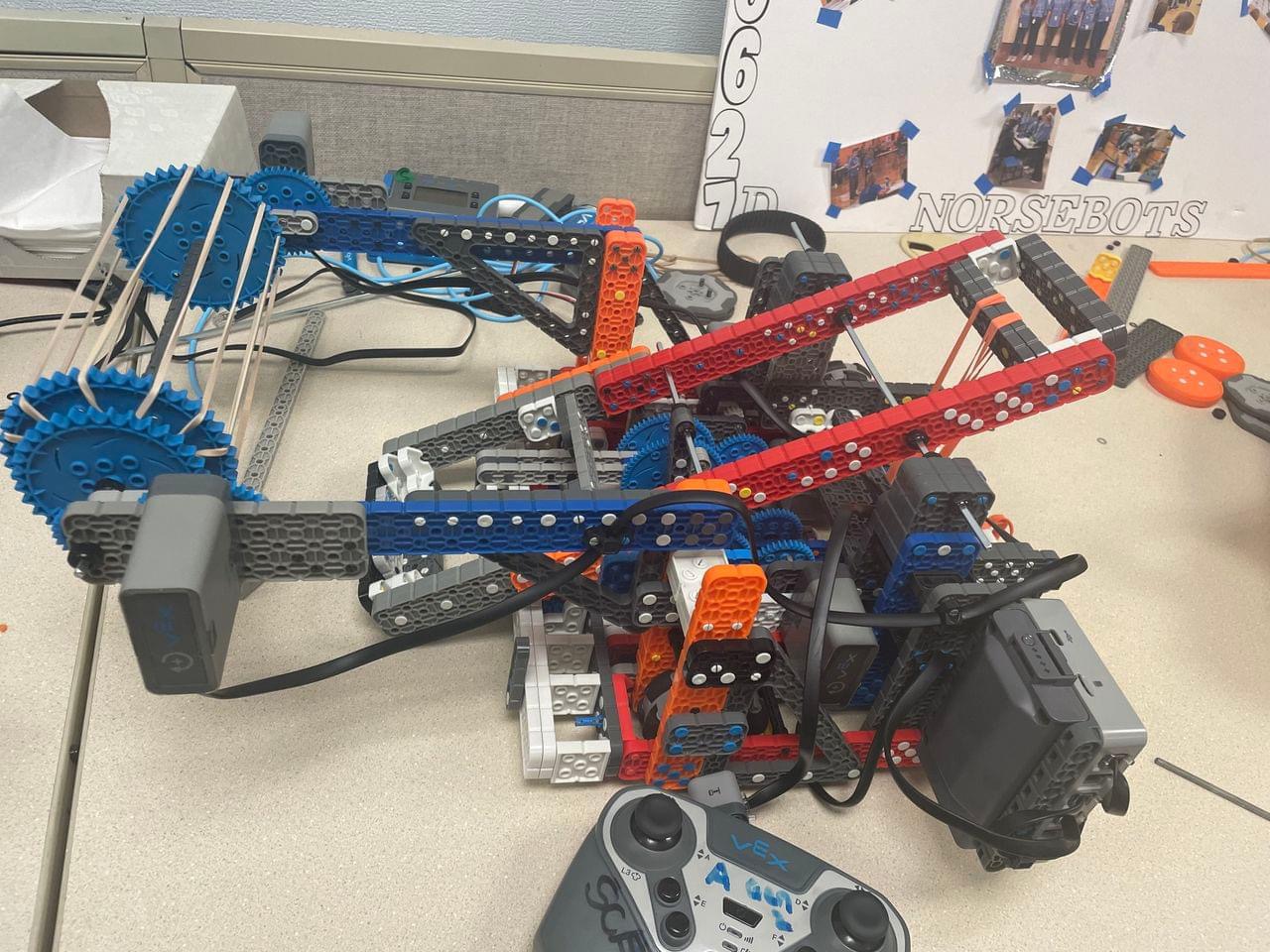
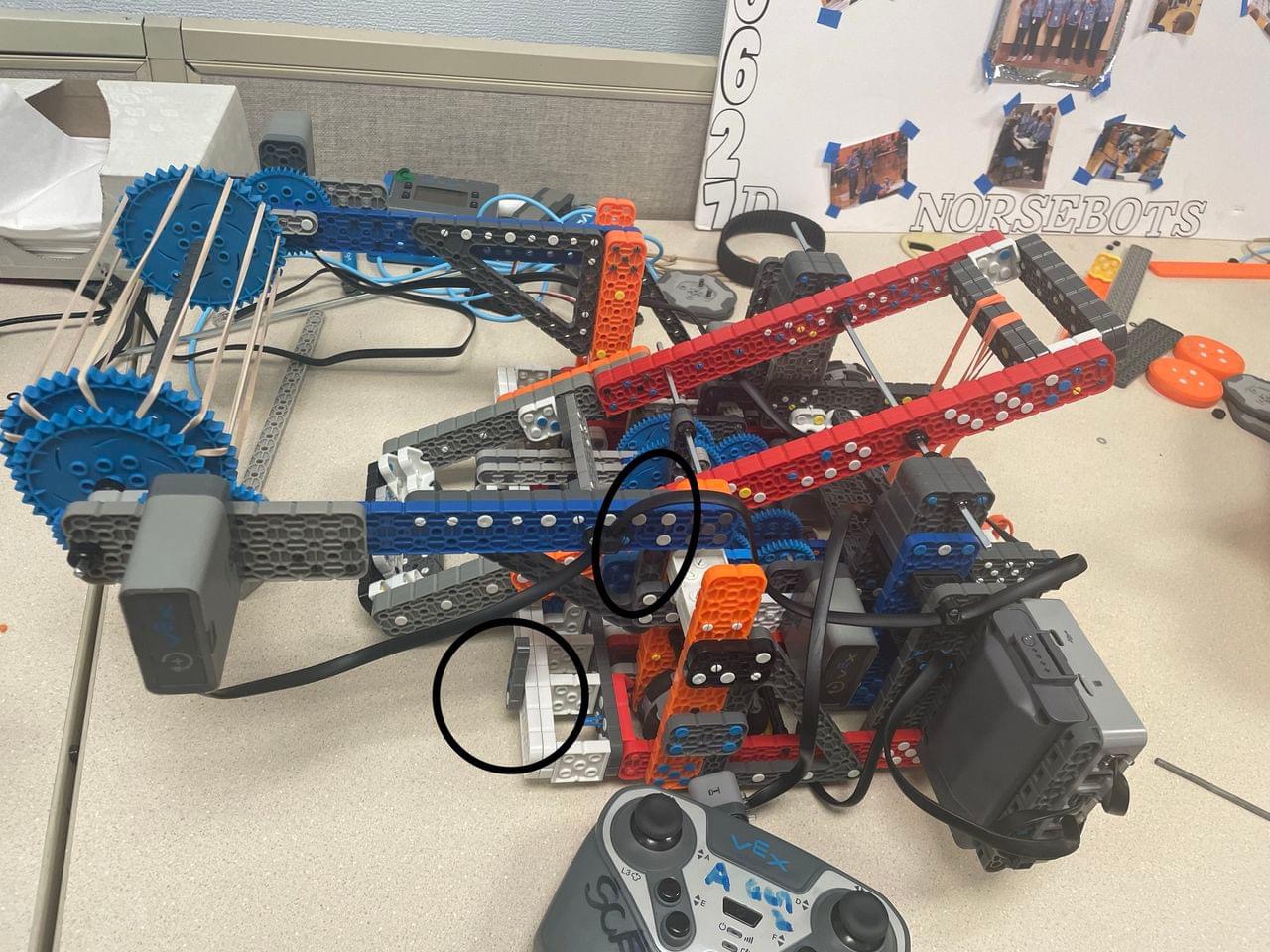
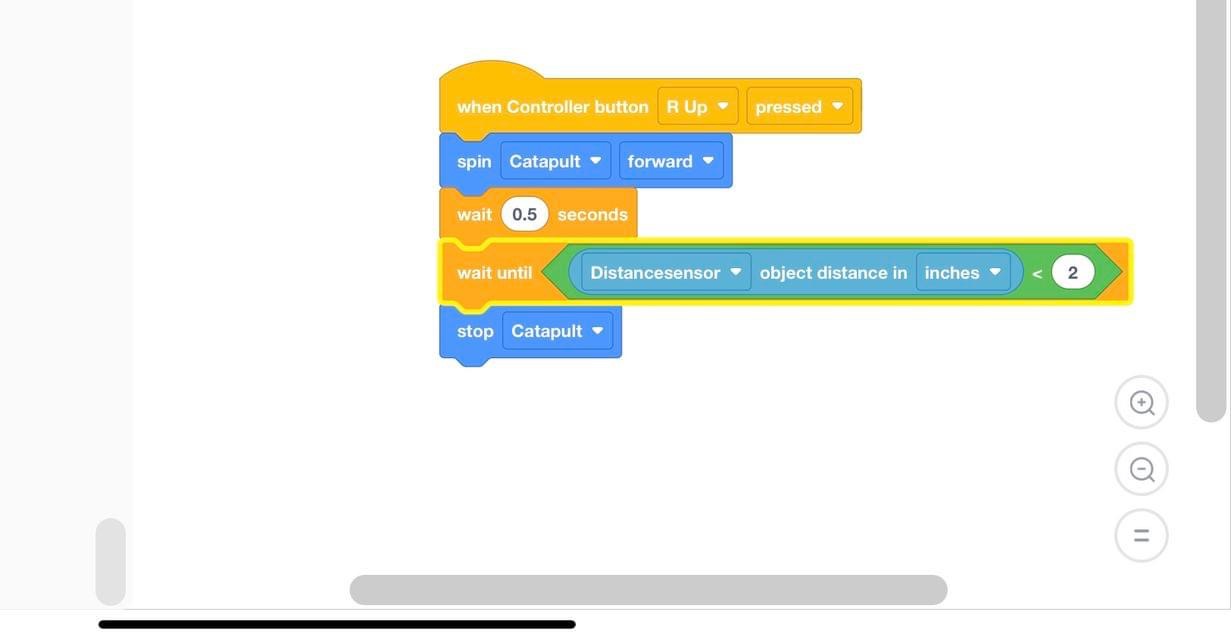
No problem!
So it seems that you wait until the block is under the when controller button is pressed block. So that block is ONLY running when the button is held. One option to counter that is by creating variables. When variable=1, the catapult stops. When a variable is 0, the catapult runs. I will attach some pictures below.
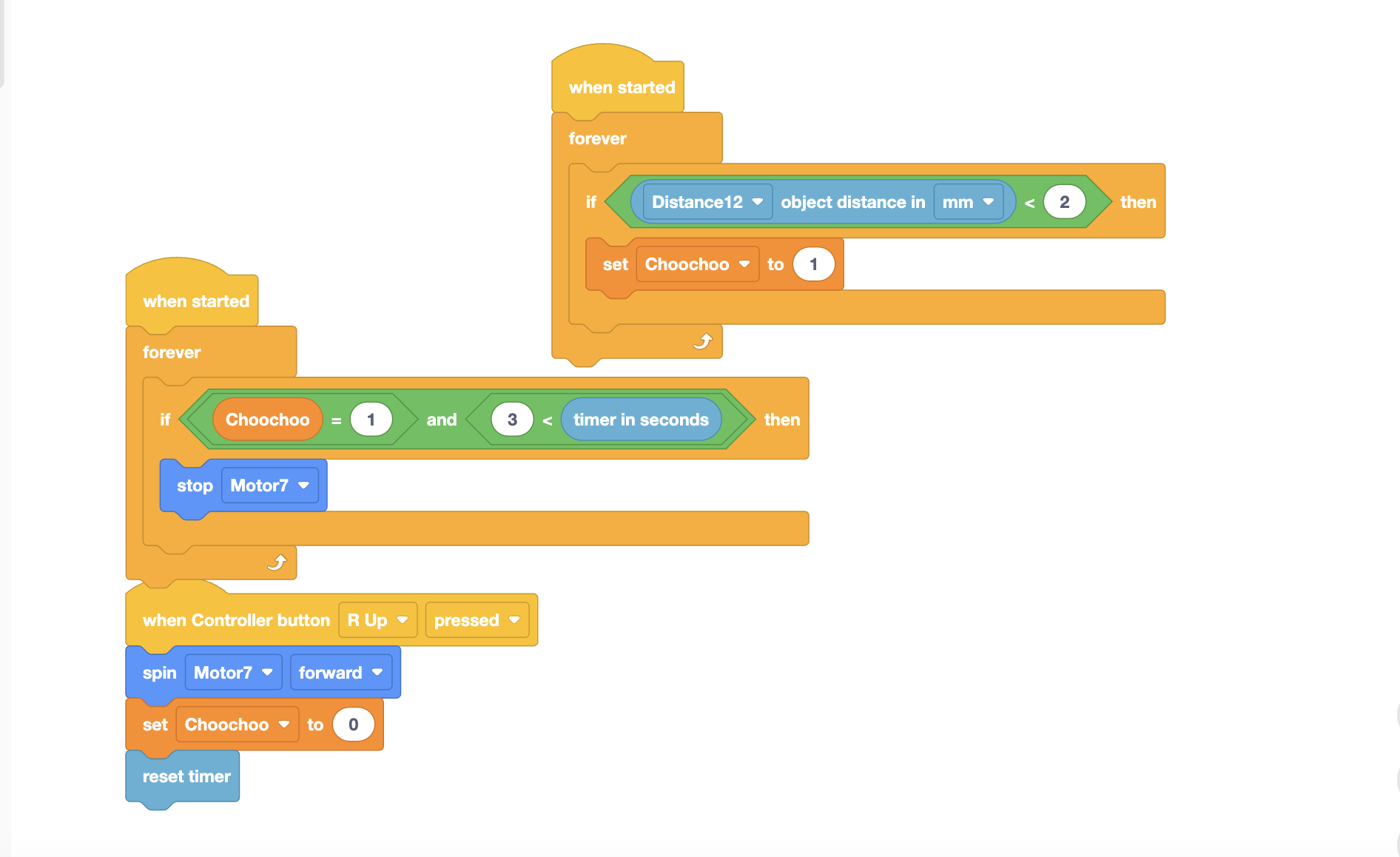
We had to play with the orientation of the distance sensor (upside down or move it up higher), to get it to stop consistently (and earlier). If we didn’t catch it early enough, it would slip through.