VRC and VEX-U teams,
Simulink now supports creating user interfaces for the VEX V5 touchscreen. We hope you will find this feature useful! Thanks to all the teams that shared their display use cases with us so we could come up with a programming solution for this 
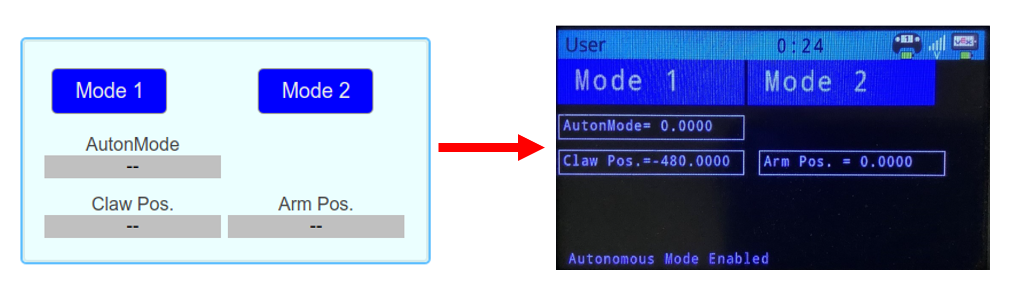
Although some of the more advanced teams requested this functionality, it should be very easy to use by any team. Here is an extra quick summary of how it works:
- Create a user interface in Simulink using dashboard blocks
- Connect your buttons and displays to parameters and signals
- Promote to a Simulink Panel and program the V5 Brain
Here are resources on how to get started with this:
- Tutorial - Creating Touch Screen Control and Displays for VEX V5 Robot Brain
- Example - Selecting Different Autonomous Mode Variants Using the VEX V5 Display
- Example - Monitoring and Calibrating Sensors Using the VEX V5 Display
Hope you find it useful! Please comment with questions and more uses for the VEX V5 display so teams can get the most value out of this.
Best,
Jose Avendano
MATLAB and Simulink Robotics Arena
