If no one looks at the driver interface LEDs, then I think you’re pretty much in the dark. Events really should have their volunteers/staff trained that in the case of any potential connection issues, the very first thing to look at is the driver station LEDs. The very next thing after that is the joystick “Game” LEDs, followed by the robot brain LEDs (assuming you can see them). Teams also should know this and rehearse it. It’s very frustrating to me when a team comes up to me after a match and says they had an issue but have no idea what was showing on their LEDs or on the driver interface. The other recommendation I have for teams is if they have an issue, alert the field tech immediately, so they can look at these things. Too often teams either don’t say anything until the match is done, or they yell at the refs. The refs aren’t going to be able to help, because that’s not their job, and they probably know less about the control system than the teams do. And if you don’t tell anyone until the match is done, you’re not going to get the benefit of the doubt, frankly. EPs see so many dead batteries and broken wires and abused equipment that they’re going to assume that’s the cause unless there’s fairly strong proof otherwise.
If you see green on the driver interface, then the “disable” signal is not being sent to the joysticks. From there, I usually look at the VEXnet LED on the joystick to see if there is a link. If not, then I try to get eyes on the robot’s LEDs. This is often where you can see that the robot code crashed, or the battery is nearly dead and the brain is rebooting (this is a general case, not specifically when both robots on an alliance stop moving).
Doing all this during the short duration of a match can be hard, especially when trying to reference the VEXnet documentation that shows all the combinations of LED patterns. At our events, we have a bunch of copies of that document and use it regularly for reference - being able to show a team having an issue a specific LED pattern and what that maps to in the documentation sometimes helps.
One thing that often catches teams off guard is the backup battery. From memory, I don’t think the LEDs show a low or dead backup battery unless you’re connected to field control. This causes many teams to show up at their match thinking they’re all set, only to see a non-green status before the match starts indicating a dead backup battery. I check for this before matches as much as possible. I warn teams who play with a low or dead backup battery that they are doing that at their own risk, and if they report connection issues we’re likely to assume it’s because of the backup battery.
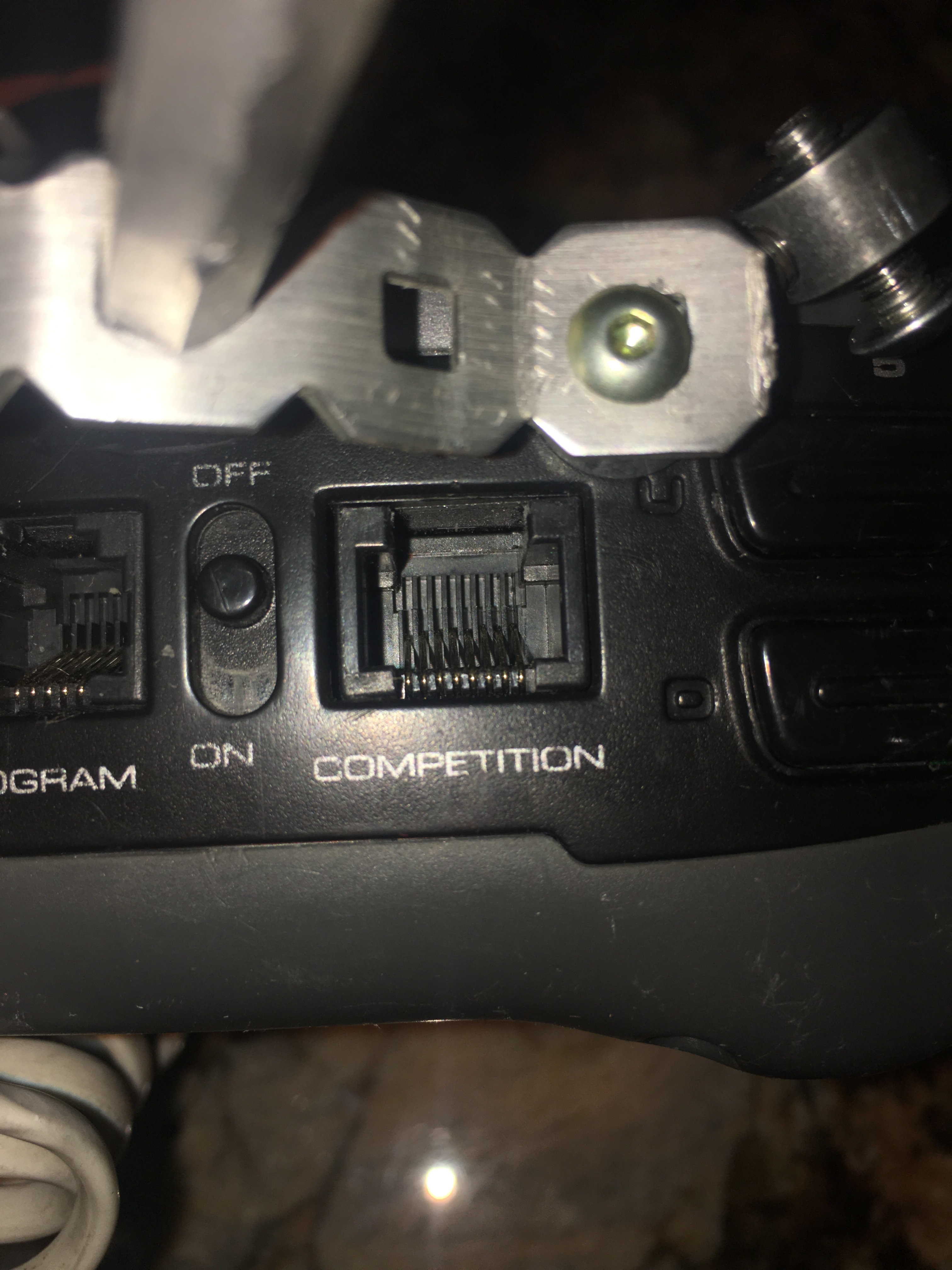
If you DO see yellow/not-green on the driver station while a match is running, then you know something is very wrong. In every case that I’ve ever seen of this, it has always been a bad joystick - every time. Pins bent in the competition port, causing a short. That one gets real tricky too - lots of teams think they deserve a replay for that, but my stance is that if you bring faulty/poorly maintained equipment to the field, then that’s on you. Teams - treat your joysticks well. Unplug from field control carefully. Don’t rip the cord out. Inspect the ports on your joystick, and if anything isn’t 100% perfect, don’t use that joystick for a match. Borrow one if you have to. Frankly, I think the condition of the ports on the back of the joystick should be an inspection item to help with this. This is a problem that seems to be getting much worse in the past few years as most teams’ equipment is rather old now. Hopefully the V5 refresh helps there.
As I tried to explain earlier but perhaps failed, this (to me) falls in the category of “anything’s possible”, but probably not the most likely reason. My earlier posts on that topic were purely trying to say, “it could maybe be an issue, and on the off chance that it is, my advice is don’t take the risk of using a phone next to your drivers”.
Based on my knowledge of how the control system works, I would expect that any of these cases would result in the joystick simply becoming enabled (James explains this well at the beginning of the thread). That said, I’m not privy to the inner workings of the joystick firmware and what kind of corner cases or conditions (if any) could change that. It could be theoretically possible that a mostly-working CAT5 cable from the scoring table to the driver interface which occasionally has a continuity break because of people walking on it could cause the joystick to do something funky, like rebooting (which would appear as a loss of connectivity for a short period). Again, this is why paying close attention to the LEDs and knowing the boot-up patterns of the joystick can be really important.
The only thing I can do when I run events regarding these conditions are to try to prevent them in the first place, and swap things out if something looks strange. I bought a CAT5 tester (they’re cheap) that I check all our competition-related cables with before our event. We also replace cables after a few years of use (BTW - I believe VEX uses all new cables at Worlds every year, so that’s not a concern there). Nowadays, we use the Raspberry Pis on all our fields, which means we don’t have any field control signal cabling laying where anyone can walk on it (the field control cables just go from the monitor at the field to the driver station also at the field, so they stay on the perimeter).
At our last event, there were 2 teams in particular that kept coming up to me after their matches complaining that the fields were bad. We looked over everything very closely, including running their robots on a separate field control to test, etc. We never did isolate any reason (which I hate as much as they do). That said, whatever problem these 2 teams were having, it always followed the team, and occurred regardless of which field they were on or which alliance station (we keep notes on these things during the event). I have no doubt those teams left our event convinced that we had bad equipment which caused them to lose. But, all I can do from my perspective is to conclude that it is exceedingly unlikely that our fields would only happen to fail when that team played, and always on the specific port that team plugged into.
Now, despite what lots of people are reporting here, I have almost never seen both robots on an alliance fail at the same time. I don’t doubt it happens, but I just haven’t seen it much at all at my events. I don’t know if we’re just lucky or what. If it did clearly happen, and the match was close, I would certainly consider a replay. A lot of times, teams claim that their alliance is dead, but while one robot isn’t moving, the other one is partially working - arm works but not drive base, etc. I always point out that any controllable robot movement at all means that all the controls and communications are functioning, and that they’ve either tripped breakers or gotten a dead expander battery or whatever. And as usual, I don’t think they really believe me, because instinct is to assume it’s someone else’s fault. I know, I’ve been a robot competitor, and there were definitely matches that I felt we lost because of faults not our own - and I’m sure I appealed to the IFI staff who told me it wasn’t a field fault :/.