Hallo everyone
I am enbarking on one of my big projects and it seems possible. My idea is this:
Swap the A9 processor with an intel core processor, and make the RAM bigger by installing a bigger sized one, and then use the micro SD card slot for more storage, and convert the Micro USB in to an out to attach mice and keyboard extensions
FTFY
I don’t think it is possible due to the actual requirements that are needed to run Windows, since I would think it is very difficult to upgrade the RAM. (Unless if you are running something like Windows 98 on it, which go ahead I guess?). Maybe Linux though, just maybe. Would be cool if it worked though.
I’m assuming you’re doing this to play Doom, so here’s a better idea:
Connect the brain’s screen to a computer. Then you can say you’re playing Doom on a robot, and you won’t spend hundreds of dollars on a project that, spoiler alert, almost certainly won’t work.
Plus you won’t completely ruin a perfectly good Vex brain. Seriously, they’re expensive.
Doom runs on the V5, it has done for years.

I remember someone said
“At first if you don’t succeed, try and try again.”
Thomas Edison said: “I have not failed 10,000 times, I have simply found 10,000 ways that it will not work.”
I considered that
I am not running doom. I am trying to run this as an actual PC, and the brain I am using has a problem with uploading via USB (FAT32)
Here’s some shots from a while ago of the processor on the V5 brain. It is only around 20mm x 20mm and permanently soldered in. I’m curious as to what you think about ’
You can pretty easily get around most of those, but that’s not saying it will work well (or at all).
Finally, you might want to consider diagnosing and fixing the brain; an extra brain or two can get you out of many pinches. We can help you find lots of guides out there.
P.S.
What is a ‘LightingNerd’? Just curious, that’s all.
… But, as always, my stance is that experimenting with e-waste is better than throwing away e-waste.
thomas edison also said “hmm let me see what tesla is doing and copy him”
I am thinking, if you replace the A9 processor with an Intel processor, then we can install windows. For the RAM, I would have to replace it for storage requirements. Converting the MicroSD card to an out provides additional storage for the processor. The brain I am using is a broken one where uou can’t dounload anything to it. Using the Micro USB as an out provide accessories like an external keyboard.
Sidenote
A Lighting Nerd is a nickname for lighting directors. Lighting directors are the type of programmers who control those lights on a stage at a concert. (I am producing a robot reveal, STAY TUNED FOR JANUARY 19th!!!, and you will see what I do best)
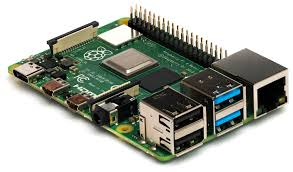
…But like, how?? Do you plan to desolder every pin, make your own BIOS, write drivers, etc?
Looking at the photos I reposted earlier, the RAM is permanently soldered, but I have seen instances of people adding higher density chips in their place. But, the fact of the matter is that there is no support built into the firmware to make this work.
It probably would be better to find a way to flash linux to it and run a very light version of early windows in a VM. But good luck finding a way to access vex’s config files for the VEXos. IF everything else works, you could find a way to just use the micro USB, as it is just USB, but… micro. There are some off the shelf dongles and adaptors that can do this for you. I don’t know if it’s set up correctly for this use, though, as I am no PCB design expert or have access to vex’s proprietary firmware.
I love @Bubski 's rPi idea, and I have another thing to add: You could use a Pi Pico for its small size and find a way to interface it with the power distribution board in the brain and the screen. ( you’d just have to find the usage of all of those pins in the ribbon cables from the processor board to the display and the PD board.
Sidenote part 3
I’m a EOS person myself, but I guess that’s pretty typical for one who does tech theater rather than concert lighting (MA). Fun to see the two spaces collide!
Very much a case of “easier said than done.” Most CPU manufacturers have completely different pinouts from their competitors, and thats just the beginning of the problem. Trying to make this work would be a collosal waste of time, and absolutely not worth it. If you want to do non-vex things, doing it on vex hardware is not the way to go, almost ever.
As a side note, Jpearman is probably the smartest guy on the forum, and the most familiar with vex hardware and software as far as I know. If there is something he thinks is impossible, he’s right.
Look up that thing labeled Zynq. It isn’t an A9 processor. It is a SoC chip from Xilinx that has a huge FGPA + processor. There’s an immense amount of IO capability in that SoC plus parallel processing from the FPGA fabric that you can’t duplicate in an off the shelf processor.
Blockquote Seriously, they’re expensive
You should look up the price of the Zynq part before saying this. I’m working on projects using UltraScale+ (a bigger brother to this), but $300 seems cheap in my world. You’re not buying a little processor in a plastic box for this price. You’re buying boatloads of simultaneous IO and all the driver chips to go with it.
Tell me theres a tutorial/who deserves the credit for this, originally?
I’d love to see someone ‘jailbreak’ the brain to mess around with some stuff, like giving the motors too much power (if possible), etc.
Of course, it wouldn’t be competition legal, but would be a fun thing to mess with if you’re willing to make your own OS since the vex one is locked down.
how long have you been hiding this valuable information 
Yeah second this, always wondered if you could do like a power surge and get the motors to like 200-400% for a once a lifetime (literally) ‘ram button’ as my team members like to joke about!
This is actually public information. Im pretty sure the original thread about it is still open.