Instructions on how to make a wireless connection are supper clear and easy to follow
To make a wired connection:
You must modify the smart cable by cutting the power wire (for me it was the yellow, most likely yours will be the same).
I didn’t cut the ground and it hasn’t given me problems so far
Also remember there is a forth parameter that defines if the connection is wired or wireless this defaults to false which means the connection is wireless. For a wired connection you must specify true.
Can you add some details on how many brains you ended up using, the topology with the controllers, was there a master that controlled the other brains, etc.
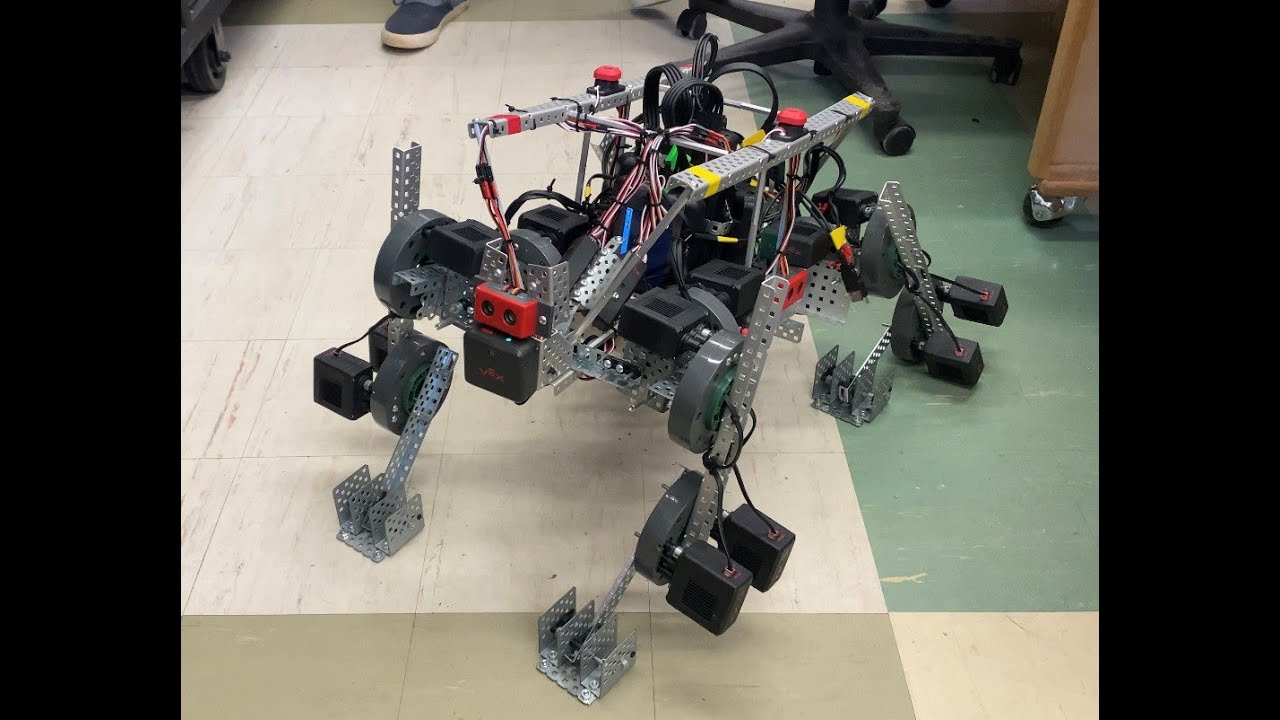
Yes I got it to run on wheels on legs but only for a couple hours… Until it kept breaking for too many times. After fixing a motor, for the fourth time, another motor broke. Although the robot runs 8 PID algorithms at the same time alongside 8 inverse trig and precision correction systems on 8 motors, I still believe VEX’s “99.5%” is far from correct. I have reached a point and time where repairing the robot would be too expensive, and IT WOULD BE CHEAPER to buy non-VEX branded motors, motor controllers, and encoders as an alternative.
Anyways though, my arm motors all ran on a 1:3 gear ratio at 100 RPM which is really fast but do-able with right banding and support. But the issue I found is the motors lock up if they are stuck trying to handle continuous torque.
Wow. That’s absolutely incredible. Puts my little spider robot to shame. This robot demonstrates an incredible understanding of both the design process and the VEX design system. If I am looking at it correctly, it seems like you even managed to get some self-correcting loops of some kind in place so that you could kick it around and it wouldn’t fall over. Absolutely amazing. And at the end there it even looked and acted like a dog. I’m at an utter loss for words.