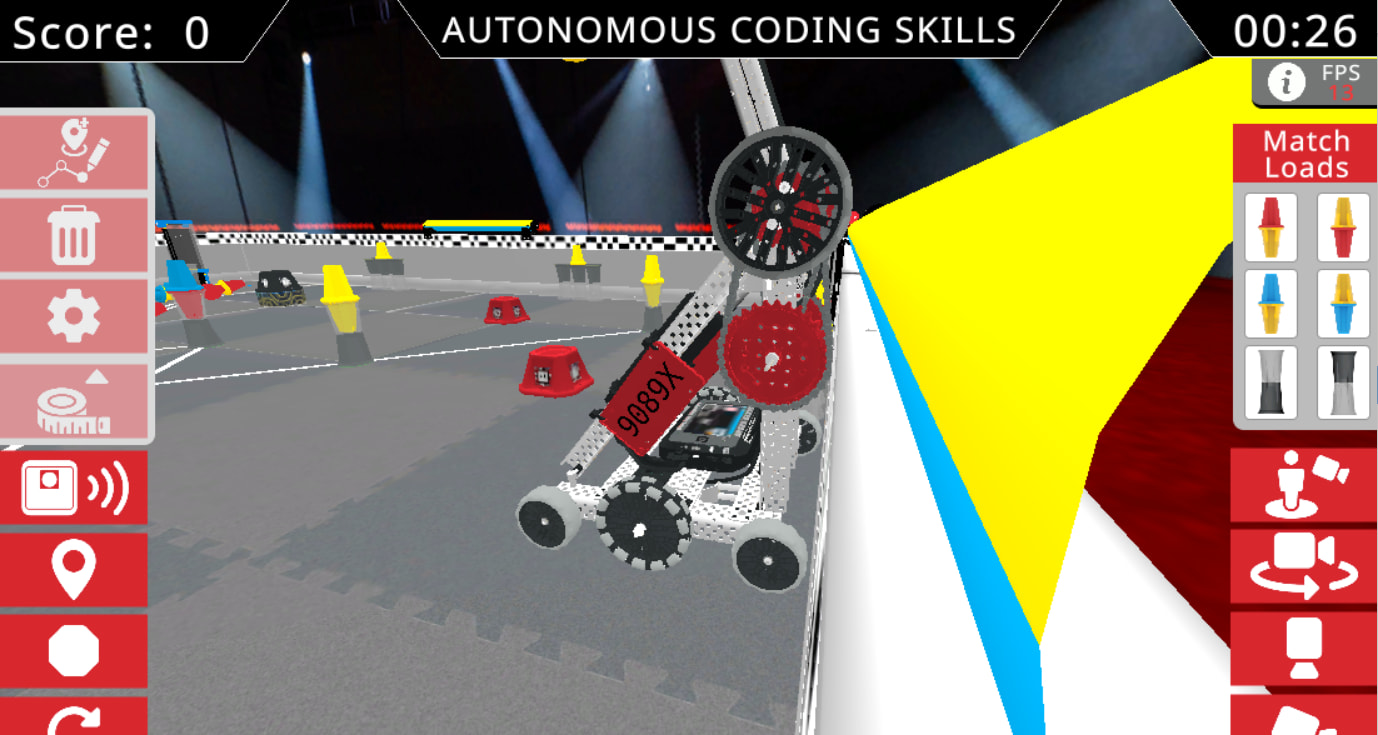
Does anyone have any idea how to turn the toggles in Virtual Skills this year? I’ve tried several different things, the main one being backed up against the wall and lifting the arm to spin the toggle. This doesn’t work, however, as there is a tiny bit of space between the wheel and toggle(as seen below). I’ve seen teams with extremely high scores that you can only get by spinning the toggles, so any input would be greatly appreciated!
Basically, I think you used spinToPosition, and because of vex’s excellent programming that one just doesn’t work for toggles. Use spinFor and you should be good
There’s a bug where spin_to_position just doesn’t work. I suspect they use the direction argument of the function as part of the detection code, since only spinning the arm down works, but spin_to_position doesn’t have a direction so it just breaks. Try using spin_for and you should be fine.
It worked perfectly, thank you so much!