Can someone help with the parts for LD CAD? My parts are not showing up, and this seems to be a rare issue. This is the second time it’s happened, on separate devices. Idk how to show images.
Got it — sounds frustrating! If you’re dealing with a recurring issue on separate devices, and it’s hard to describe without visuals, uploading a screenshot or photo would help a lot.
I think I can help you, my friend, but could you confirm if the parts you can’t see are second-generation parts, or special kits like the pneumatic kit?
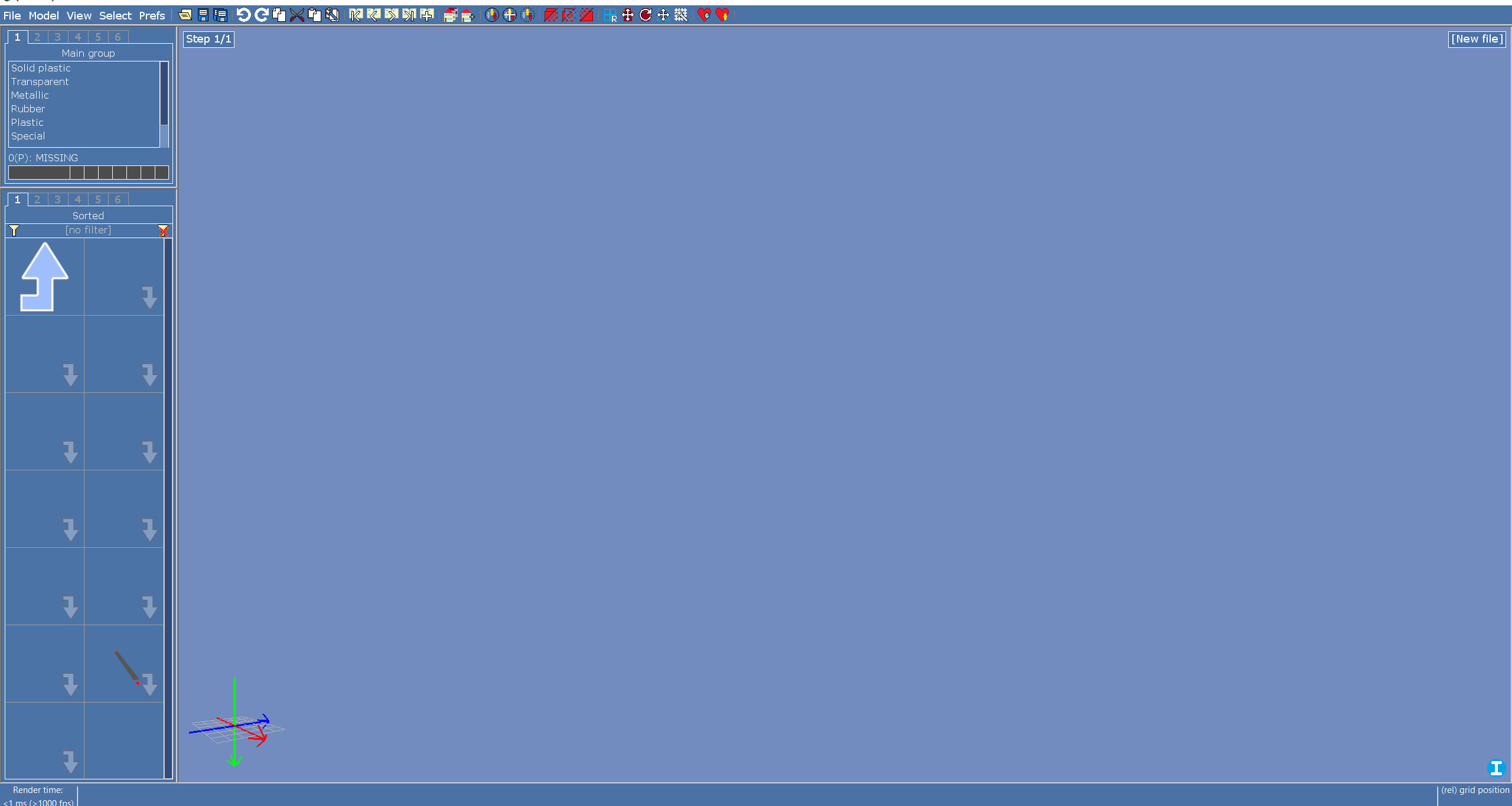
I’m sure, I did exactly what Ben Lipper did, as far as I know.
This isnt a rare issue, it’s just an issue with installation.
- Prefs → Ldraw → Search Library Paths → make sure the LDCAD Library folder you downloaded here is in the 2nd box as an “Official” library (the other should be donors)
- Make sure under the library the Shadow is there. If not, go to appdata → roaming → LDCadVEX → shadow → offLib → offLibShadow.csl (sometimes it doenst show up youll have to type it yourself)
After this it should be fixed. if not, then try uninstalling using the uninstall tool and then reinstall.
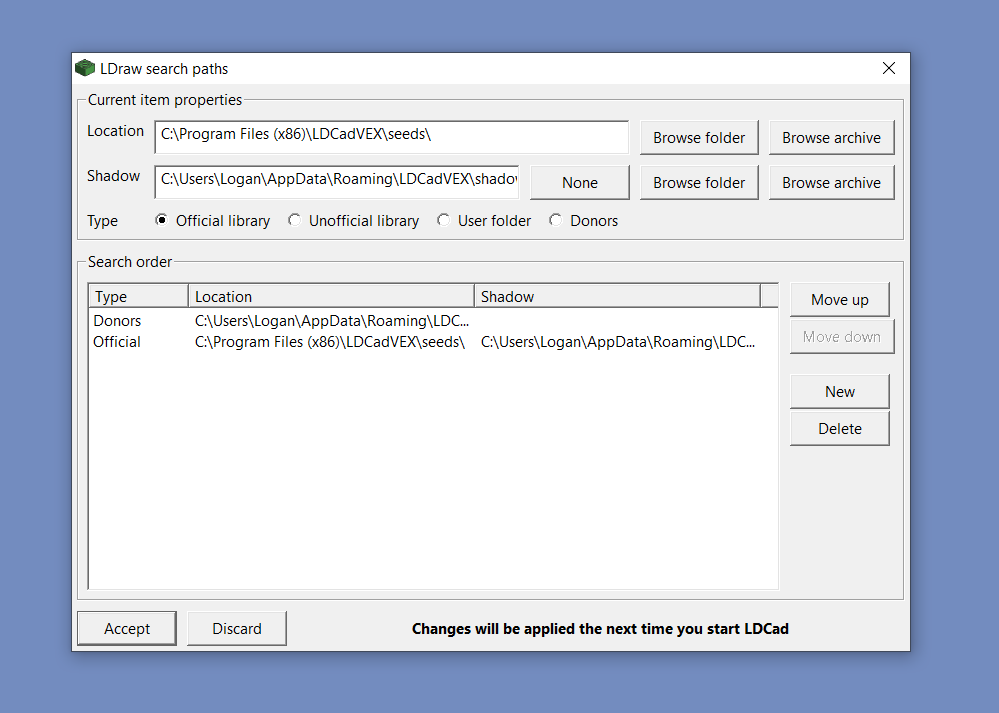
It should not be seeds in the Location, it should be the folder from here
Are you still having problems, friend?