JerryForge
A while back, I made JerryForge, a Python CLI tool that lets you visualize runs with path.jerryio.com and optionally cast them back into robot code. Please note that this project is under very little maintenance and will not be receiving regular updates.
The Problem It Solves
If you’ve ever spent hours guessing coordinates to build an autonomous routine, you know how tedious it can be. You tell the robot to go to (24, 48), run the code, realize it’s an inch off, tweak it, re-download, and try again.
JerryForge is designed to reverse this process. Instead of guessing coordinates, you can just drive the robot manually, record where it goes, and turn that exact route into a baseline autonomous routine. Or, if your auto is acting up, you can log its actual path and visualize exactly where your odometry drifted.
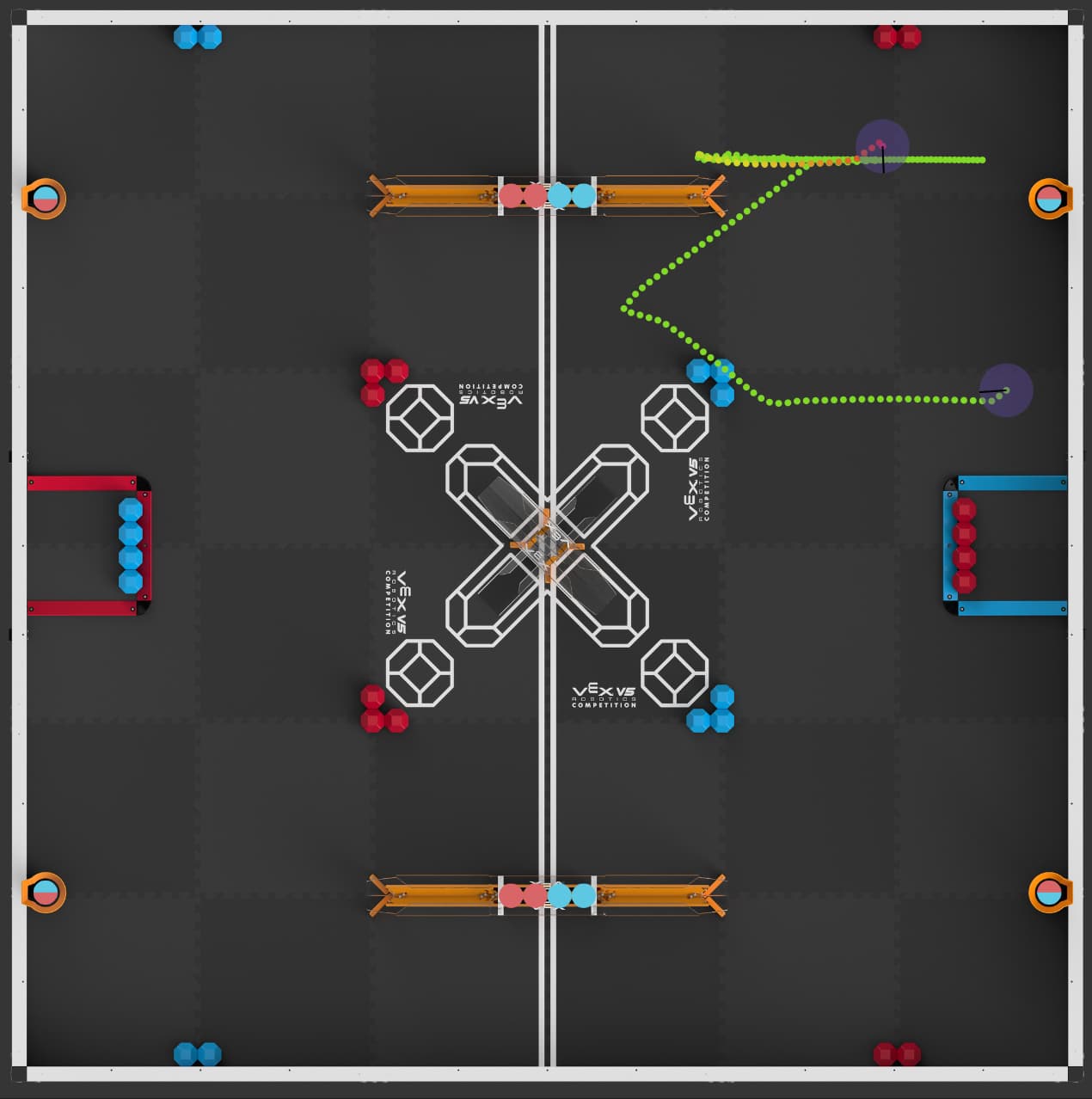
This is the example route.
How It Works
JerryForge is split into two main tools that bridge the gap between raw data and visual editors:
1. PathBuilder (Logs –> JerryIO)
- You set up your robot to log its odometry data (X, Y, Heading, Left/Right Velocity) to the PROS terminal or an SD card while driving.
- You feed that log file into the JerryForge CLI.
- It parses the data, applies intelligent “thinning” (so it doesn’t overload the editor with thousands of points, but preserves the smooth curves using invisible waypoints), and outputs a file you can drop directly into path.jerryio.com.
- Result: A visual, fully editable path of exactly what your robot just did.
2. PathCaster (JerryIO –> Code)
- Once you have a path tweaked in JerryIO (either generated from your logs or drawn from scratch), you export it.
- You run JerryForge with the
--castflag and feed it a simple text template (e.g.,chassis.moveToPose(${x}, ${y}, ${theta}, {.maxSpeed = ${speed}});). - Result: It reads the JerryIO file and automatically writes the actual code for your routine based on the waypoints and speeds.
- Casting back is not necessary in all cases. If you are using LemLib, you can directly make an asset
ASSET(foo_txt);and thenchassis.follow()that for even more accuracy than casting would give. - Also note that if the path.jerryio template doesn’t provide enough for you, you can use PathCaster to get additional variables and a better final result.
Why It’s Useful
- Record-and-Replay Autos: Drive your 15-second autonomous or 1-minute skills run, plot it, cast it to code, and you are 90% of the way done with your routine.
- Odometry Debugging: Visually compare where the robot thought it was on the field versus where it actually ended up.
- Batch Processing: Got a folder full of 20 different test runs? You can process them all into JerryIO files at once with a single command.
Check out the README on the repo for the exact syntax, setup instructions, and JSON configurations. Hope some of you find it helpful for your workflows!
JerryForge is on GitHub with this link
(Sorry in advance for its super long README)
If you’re looking for something more advanced, try MotionView, which I actively maintain. It requires a little more setup, but provides much more to the user.