First year VEX IQ teacher here, and working on the Up and Over challenge with my 8th graders. I was hoping someone had an example of the code that you use to make the clawbot arm go up and down and to pick up the cube.
I know there are many answers, but I have spent a while trying to get this right and am really having trouble. If I had an example to start from, then I could help guide my students better.
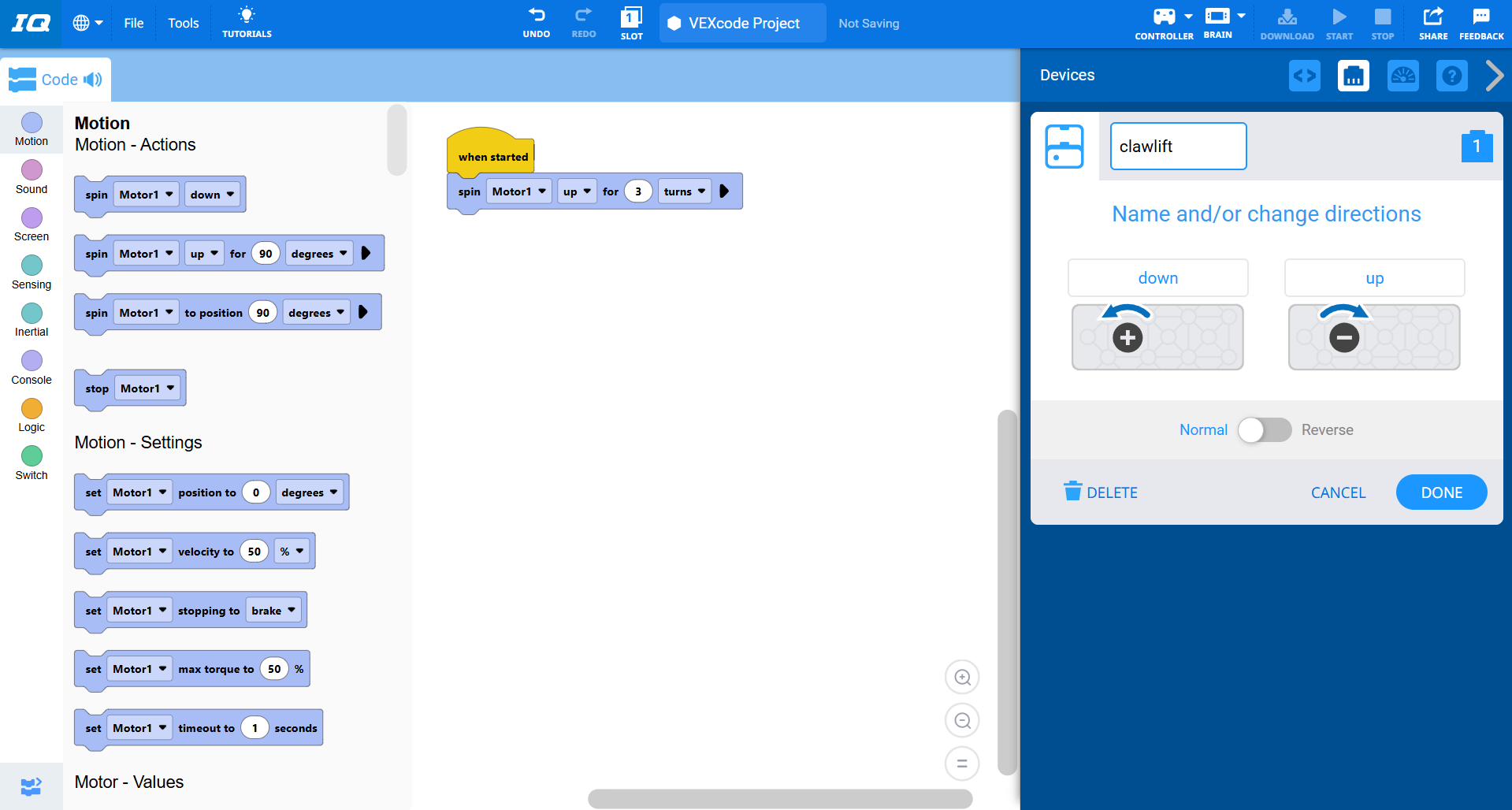
I made this simple code, but what you want to do is put the port number for the motor, and use the block “Spin (insert name of motor) up” to make it up or down, you need to match the motor directions with the ones when you open “Devices” in the code. also, something I didn’t do but you should, you need to not put it in “When started”, and instead put it in a block with the controller button or joystick that you want to have it only go when you press that button or joystick.
Thank you so much for this - should help me get started. It is the first activity I have encountered where the directions are not very clear as to how to make the claw actually work. Will play with this code and your suggestions!
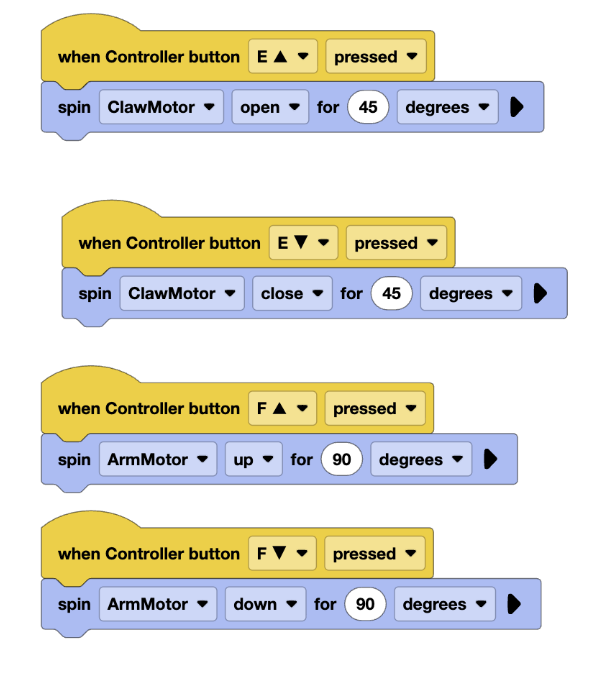
More troubles - maybe you can give more info. When using the remote and no code, the arm raises and stays just in drive mode - can raise and lift the cube. However, when doing the code with adding the controller with the buttons, the arm does not stay up. I have my best students on the case but still struggling to get it correct. Here is the sample code we were using:
When using no code, I’m guessing that the motors just run and that’s it, but with the code, can you show me the full code the way I did in my photo? It might help to have more info. Also, you could try changing it from 90 degrees to 4 turns. It might just not be moving enough for you to notice.
This is probably because your arm motor is in coast, since that’s the standard stop mode. However, there are actually 3 different stop modes in VEX:
BRAKE – Stops immediately.
COAST – Slows gradually to a stop.
HOLD – Stops and resists movement using motor feedback.
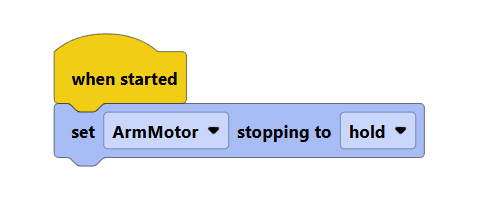
In your situation, you should use hold, since hold sends a continuous current to the motor, keeping it in the position you move it to.
The reason the regular drive mode works is because some ports are automatically set to hold, for convenience. However, this is not true for programs. So, to fix this, simply add a “set motor stopping” block in a “when started” function, and set the motor you want to “hold”, like the picture attached below."