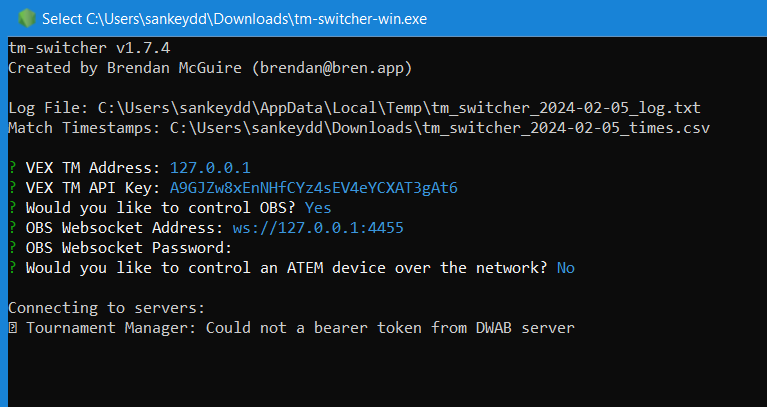
I’m getting an error with the latest TM release.
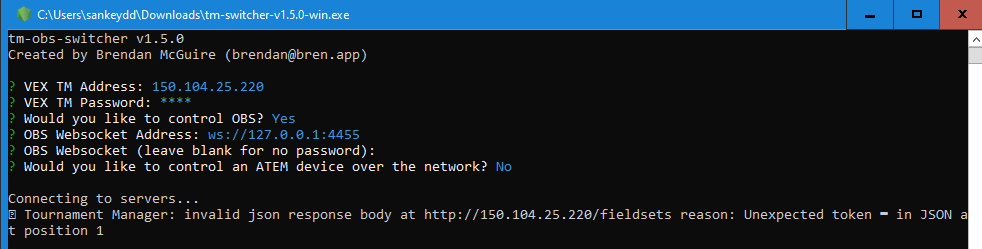
I’ve been using this for a while, so I think I’m doing it right.
I have also seen this behavior and reported it to the developer via a GitHub issue. I suspect the cause is related to internal changes in Tournament Manager.
I believe it is because there is no public API for Tournament Manger, and the fact that it got updated. It would be great to get a public API to tell tools like this what’s going on but I dont know how to get that to happen. I just know i have to go back to manual clicking buttons on TM
Just wondering if there is any update to the TM version? I was hoping to use this switcher this weekend for my event, but now not too sure.
Currently, the switcher does not support 2023_2024.2 or later. I added a note to GitHub home and release page which indicates as much. As far as I can tell, the only/best way for me to get a version working for the later builds of TM is for DWAB to release a public API that allows me to interface with TM in a more supported manner.
It would be the RECF that would have to request that from DWAB, and I know that at EP Summit a number of us have been pushing for it. So far, it does not appear to be a priority.
I think some sort of official API for integrating with Tournament Manager, where public or by application similar to the RobotEvents API, would be a great feature.
Of course I know this is a big ask, DWAB’s development resources are not infinite, and effort must also be devoted to other areas of TM. So…
In the mean time, it would be really great if the next version of TM could reinstate the field control webpage. This had been a feature of TM for years, was significantly redesigned in the 2023_24.1.0 update in June, then disappeared completely in 2023_24.2.0 just over a month later.
Not only would this reinstate compatibility with Brendan’s OBS switcher, my Stream Deck plugin and match intro screen, and several other utilities, but also, the field control webpage was a genuinely useful feature – you could start, stop, and queue matches from a computer or mobile device without needing to install any software on that device, which was very useful in certain situations, especially with school-owned devices.
I feel like this should @ someone, just don’t know who. From your description it seems like it might not be hard to reinstate.
I didn’t even know about this! That’s amazing!
Since REC Foundation is a client of Dwab Technology, LLC that made Vex Tournament Manager, I would contact RECF support.
@Dave_Flowerday made this thread: Announce: Tournament Manager display plugin for OBS Studio
So I will have to assume he had something to do with the new TM update. Maybe he can add a scene switch feature to his plugin?
I hadnt realized that was gone now
Thankfully I dont need to deal in school owned devices but some events near me will have a struggle with that
@brendanmcguire might have a different solution but my guess would be that you need to add the port to the VEX TM Address. Iirc, the switcher defaults to 80, but if yours is 8080 or 5000, you need to specify that.
I kept getting “Tournament Manager Web Server returned non-200 status code”
The switcher has to reach out to DWAB’s server to obtain credentials. This means that the device you’re running the switcher on could not connect to the Internet (DWAB’s server)
Thanks. Will it have to do that each time or just once?
At least once every couple hours right now, but the time that the token lasts isn’t set in stone and can be changed by DWAB at any time.
Is this software still viable? just wondering
I run all my events with it and it works great.