I have a robot brain (Vex V5) and it looked like it needed to be reset. So I go to the reset site link and try it. Why do I need a reset? Because when I turn the brain on I get a message that the battery firmware needs updating but it only flashes for a split second before going to a screen that says “press button” and nothing happens when you press the button.
So I go to the relevant web site, hook up my V5 brain to a Mac laptop, and try the reset V5 brain option. The popup menu appears, and I click on it to connect. ANd nothing happens – I see a screen that loks sort of like the home screen for a V5 but it says V 1.0.0.1 and under “Desription” says “This is only for manufacturing.”
Anyhow I wondered if there is another way to reset this thing? The first time I tried it it seemed to be writing something to the brain, but subsequent efforts have proved less fruitful.
Is this V5 brain a recent purchase ?
I am not sure how old it is-- the lettering on the case (for the ports and whatnot) is red as oposed to white (the more recent brains we got). Also the other two I got from the same source seem to work fine and updated firmware with no problems I can see (yet).
so probably older than perhaps 3 years.
so when trying to reset, you see this popup ?
but after selecting the port ending in 1 and connecting, nothing happens ?
YES – that is what I saw.
It’s hard to know what may be wrong without knowing more of the brain’s history.
It appears that you have production test code on the brain, I don’t remember if there was a minimum version of vexos that the reset code would work, you could try looking to see what the console shows in the chrome dev tools panel to see if there any clues. A successful reset would look as follows
V5 system reset
main.bundle2.js:1 Trying to connect to V5....
main.bundle2.js:1 Connected ....
main.bundle2.js:1 delete: slot_2.bin
main.bundle2.js:1 delete: slot_1.bin
main.bundle2.js:1 delete: slot_3.bin
main.bundle2.js:1 delete all files done
main.bundle2.js:1 delete settings file done
main.bundle2.js:1 reset settings done
main.bundle2.js:1 finished
main.bundle2.js:1 read loop end
If that does not help show what’s wrong.
you could also try using the old firmware update utility from here and see what version the brain has and whether it will update (at the end of the page)
https://kb.vex.com/hc/en-us/articles/18967778843924-Updating-VEXos-Firmware
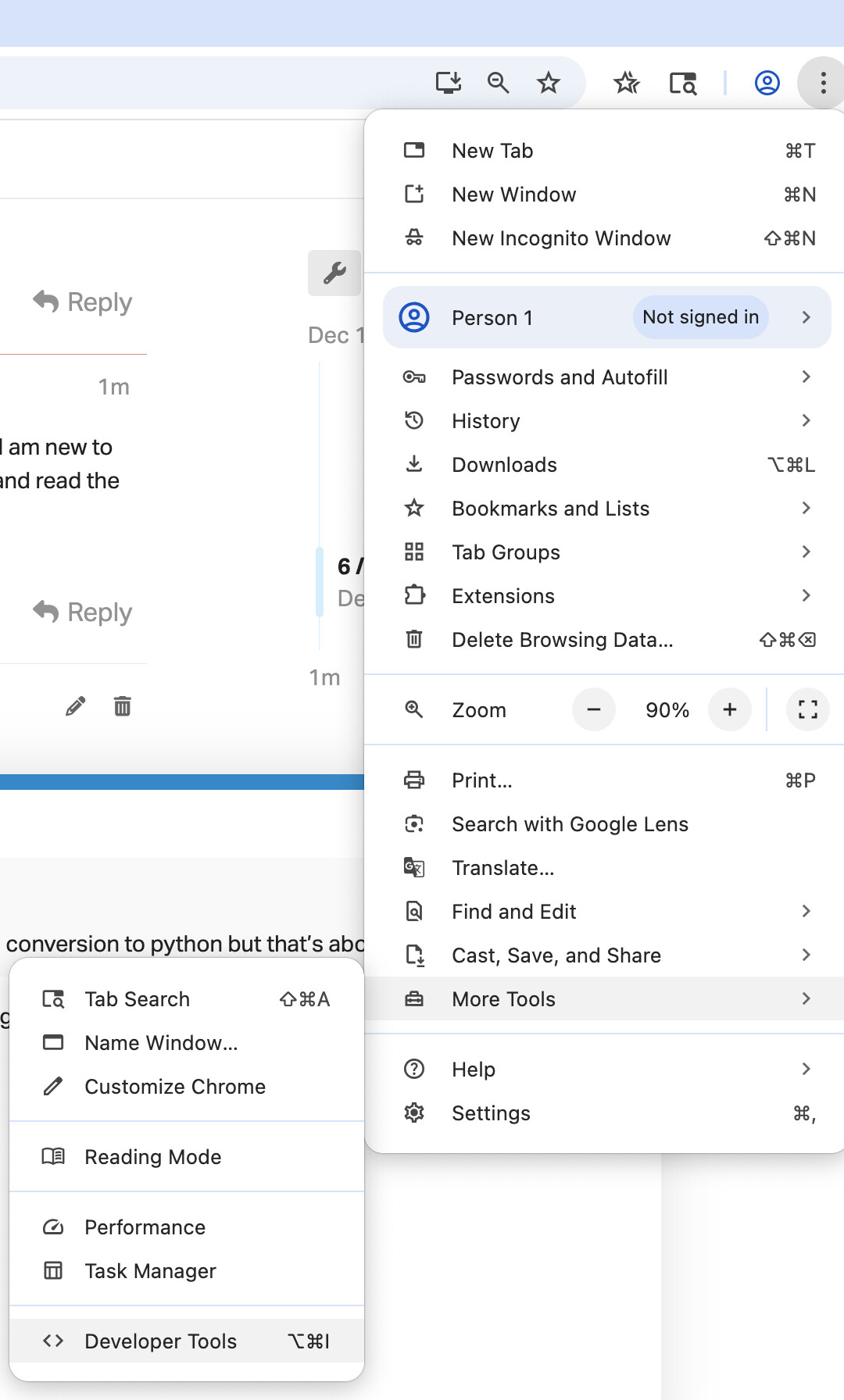
Thanks much, I will try that. Just so I know, how do I access the chrome dev panel? I am new to V5 and a newbie to sophisticated code writing for the brains. ( I can do block code and read the conversion to python but that’s about it).
Make sure VEXcode is closed if using the reset site.
chrome dev tools is under “more tools” menu, it’s a chrome browser thing, nothing to do with our code.
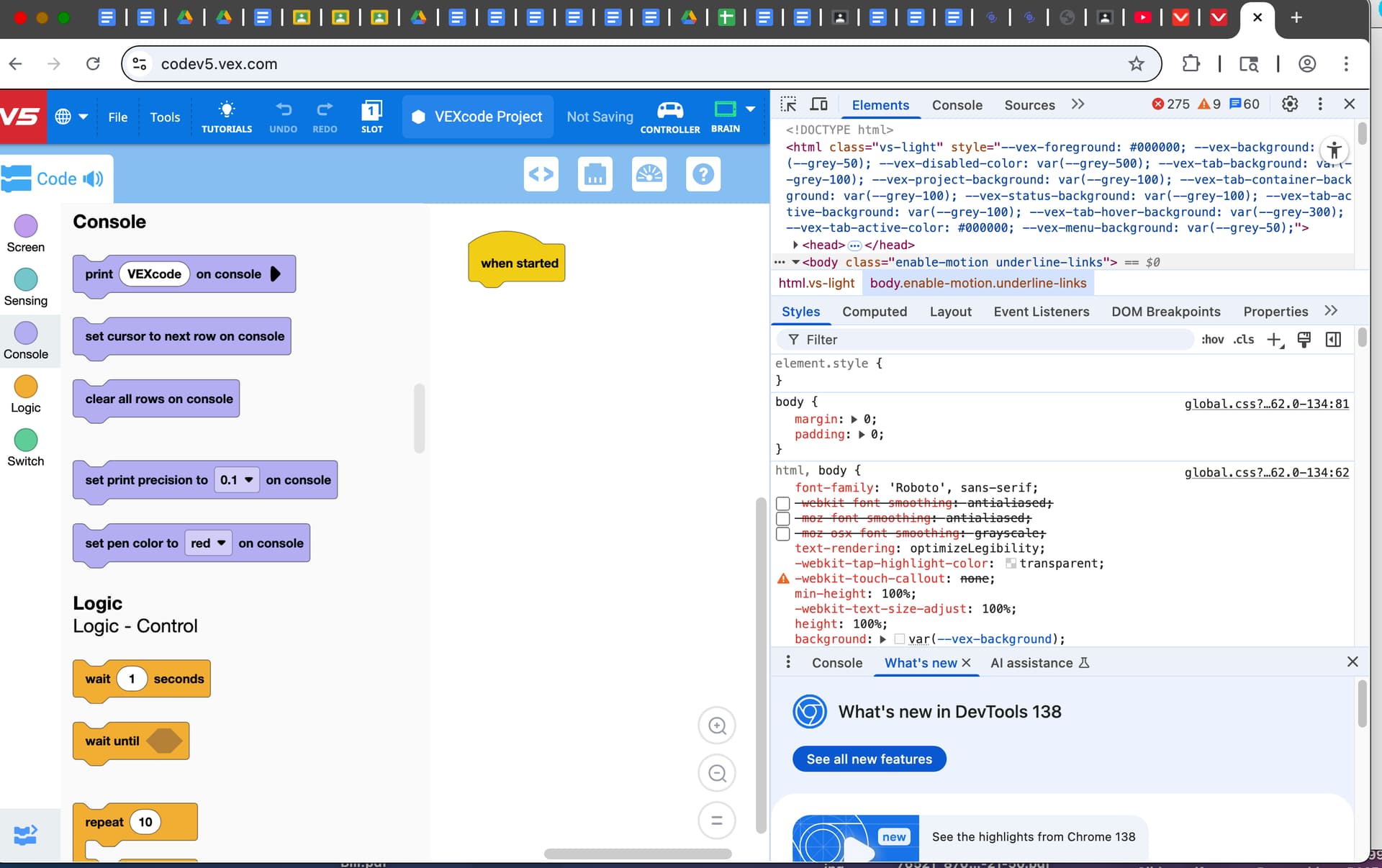
OK I opened the dev panel but honestly I am completely and utterly lost loking at the thing and have zero clue as to where to find (or enter?) the code you posted. I just haven’t the foggiest notion as to what I am even looking at. I see a big panel with lots of stuff I just do. not. understand.
Anyhow, the VEX brain swears it’s connected and that the firmware is up to date running VexOS 1.1.5.
I want to show you what I see when I open dev tools on the vexcode V5 site, with the brain connected and showing green – here it is if I uploaded this correctly
ok, it was probably a bad idea on my part to suggest that.
I had intended you to open dev tools with the reset page active rather than VEXcode active and look at the console to see the messages the reset code was displaying, however, lets not go down that path anymore.
so at this stage
what is the status of the V5 brain on power up ?
Does it still start the test app showing 1.0.0.1 ? (perhaps post a picture)
If so, can you now reset the brain ?
If VEXcode can connect and is claiming firmware is on 1.1.5 (did it do an update ?) then communication must be good, cable must be good etc.
make sure to close the VEXcode page before using the reset web page.
Here is what I see when I power the brain up (sorry to be so long in replying I wasn’t back at school). The “Normal” screen pops up for a second or two then I get the “press button” screen again. This is all when the brain is disconnected.
Once connected, I made sure the vexcode page was closed. I closed the vex code app as well. Finally when I closed everything and reloaded the reset page I got the reset – but it is on the language choices screen. Set to English. I held down the button, nothing happens. Then I hit the English touch screen button and got to a settings screen.
Acicdentally hit “regulatory” and got the message about being manufactured in China. Couldn’t use the button, so I unplugged.
Saw the normal home screen appear. Seems to be working. Opened up the vexcode app and the brain connected automatically.
Tested a simnple program on it an it seems to work! Thanks for your help and suggestions!
Not sure if this will keep working. but all seems well so far.