There is also the occasional problem to where if you are on the select tool or move tool (hotkey 1 and 2), deleting will not occur. If you do not want to press delete 5 times, just delselect the move or select 2 by toggling the hotkey 1 or 2.
Any idea when a Mac version will come out?
Hello, I love protobot, I’ve used it to design a couple drivetrains so far at school. But was wondering if there will ever be a Mac version beacuse I have a mac computer at my house and want to continue working on the drivetrain at home but i’m unable to because i’m on mac. Is there going to be a Mac version?
Maybe @DaveG could give us and update?
It’s incredibly time efficient. I made a good robot design in very little time. It would be nice if there was a screwdriver though. I’ve linked the whole robot together with screws but now I need to remove a specific c channel that is liked with screws. As far as I know there is no way to remove screw linkages, and to remove this specific piece I would have to delete the entire robot design and start from scratch. If there is a way to remove screws I would like to know.
Welcome.
Click on the screw, move your cursor to an empty part of the model, press delete. Everything connected to the screw will highlight when you select it, but only the screw will be deleted.
Are there plans to make this available for mac anytime soon?
You can use protobot on a Mac using wine as shown here: For people who want to use Protobot on a machine that is not Windows….Wine!!!
Is there any plan to have a web version? Asking for those chromebook users out there.
I have recently begun work on a new CAD model, and I have run into the issue that there is no 2.5-inch screw. Any help would be appreciated.
Checking in on straight Mac port. I would like to use it with my Intro to Robotics class, but have the group has Macs.
Thank you for this great program, my students and competitive teams really enjoy using it.
That is so cool!
Is this still being maintained?
I do not believe so. They haven’t updated the model since last year, and they always update the game object, which hasn’t changed from Spin Up disks.
I heard from a different topic that it is being updated right now, don’t know if thats true though.
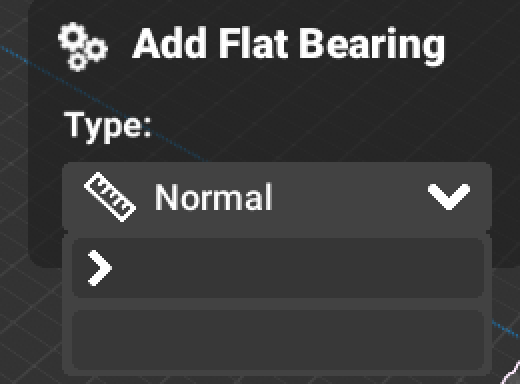
selection menus are unavliable, using directX wineskin on MacOS Sonoma
Hi
please can you tell use when can we download it on a macbook air
Protobot has been open sourced and there is a new version that is being developed. Release Protobot Rebuilt 1.3.3 · BreadSoup/Protobot-Rebuilt · GitHub
It should be possible to download unity and run it through there and build a Mac version. Other options would be to use wine or another emulator like in this post For people who want to use Protobot on a machine that is not Windows….Wine!
Let’s go!!! Protobot is no longer dead!
STL doesn’t work like that.
STLs simply store an object’s shape in a series of triangles, and doesn’t store things like mate connectors or the concept of independently-modifyable objects. This article gets a bit more technical:
With pbb files, they have to store not only the object’s shape, but:
- Mate connectors
- Seperate, independently modifyable objects (STLs usually group all the objects together)
- The concept that “screws hold stuff together”
- The concept that “axles to motors”
Etc.
So if you were to transfer from pbb to stl, you wouldn’t be able to edit them the same way.
You could use .obj files I believe, but Protobot is meant as a simple, easy-to-use introductory software. pbb files are unique to protobot, and I don’t think there is any way to convert them.
Could you maybe make a Vex IQ version
love to platform