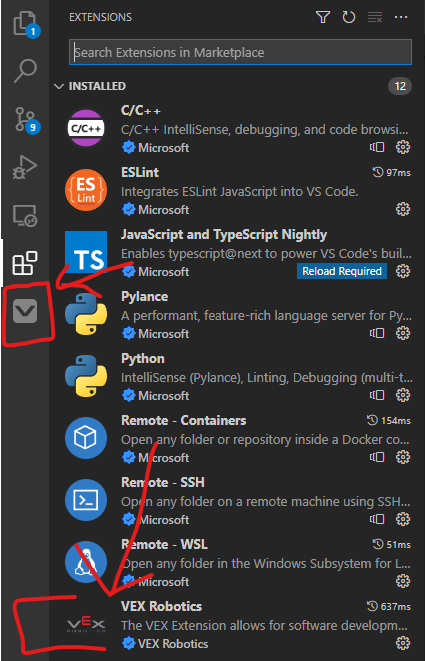
On Ubuntu 20.04 device detection and serial coms will work, but you need to add a udev rule that allows each device(V5 Brain, V5 Controller …) to have permissions when connected to your computer.
The plan is to eventually document a generic version of this procedure, but it is lower priority.
Ah, I see now. I had actually tried what you suggested (before you suggested it), but I had only done the step with Regedit, assuming that regedit would change the name of the user folder for me… I had found out very painfully after I restarted that this was not the case →
I’ve had a few teams who are using M1 Macs or Intel Macs download VS Code and when they try to install the extension it just continually hangs and doesn’t complete the extension. Is there a reason this occurs?
Set up a GitHub repo and enabled all the git stuff to work with VS Code. Set up 2 laptops. Cloned the repo. Started playing with changes, commits pushes and pulls to understand the process. Placed a *.json line in every .gitignore file available. However, every time we do a pull from the online repo, it brings every project file into the laptop’s directory, including a settings.json file that is inside a .vscode folder. That file has a line “python.analysis.stubPath” that lists a local directory on the laptop which includes a user path. If that path is incorrect VS Code says the project is not a VEX Extension compatible one. Closing that project and reopening it fixes that by changing the settings.json file appropriately but then versioning control screams that there is a change that needs to be commited and an annoying loop starts. How do we handle that?
Thanks. I think our issue is related to the fact that if you add a file to .gitignore after you added the whole project to git, your gitignore setting is… ignored. Man, git is like an entire new world. You can do it this way or that way or the other way. But don’t bother because you will be ignored. Time for some deep Google dive. “Read the game manual” and “search the forum before posting” - not working.
I installed the VEX Visual Studio Code extension and already had all of the other extensions pre-installed. An issue I am facing is that that the header file vex.h is not found after being included in main.cpp, and it also says (weirdly) that math.h is not found either in vex.h itself. What is the issue and how should it be fixed?
Thanks for the response. I fixed the problem by importing an old project from the VEXcode Pro V5 app and then modifying the project to fit my needs. It seemed that the .bin, .elf, .map, or .o files had gotten changed somehow (which I can’t change back due to their file types) and importing an old project reset them.