VEXcode V5 preview 1 was released earlier this week with Python support. The way Python is implemented is a little (well, a lot really) different from C++.
A program written in C has to be converted from the text source into a machine executable, this is done by compiling the source code and then linking with libraries that allow the program to operate on the V5.
A VEXcode Python program is sent to the V5 brain as text, a special program that is installed on the V5 brain then uses that file directly to execute the program (although we actually compile the Python source into byte code on the brain before executing). The program installed by VEXcode on the brain is called the Python VM (virtual machine), it can provide some capabilities that you do not have with programs written in C++, one of those is a console which is typically called the REPL (Read-Eval-Print Loop)
To use the Python REPL you need another program that can communicate with the V5 on the serial port we have dedicated to user programs. On the Mac this is easy, start up the terminal and use the screen command. On windows it’s a little more difficult as software has to be installed, one option is PuTTY but there are others.
To use PuTTY you need to know which serial COM port the V5 is using (all this assumes direct USB connection, it does not work wirelessly via the controller although BLE support is possible), open up device manager and check the ports category.
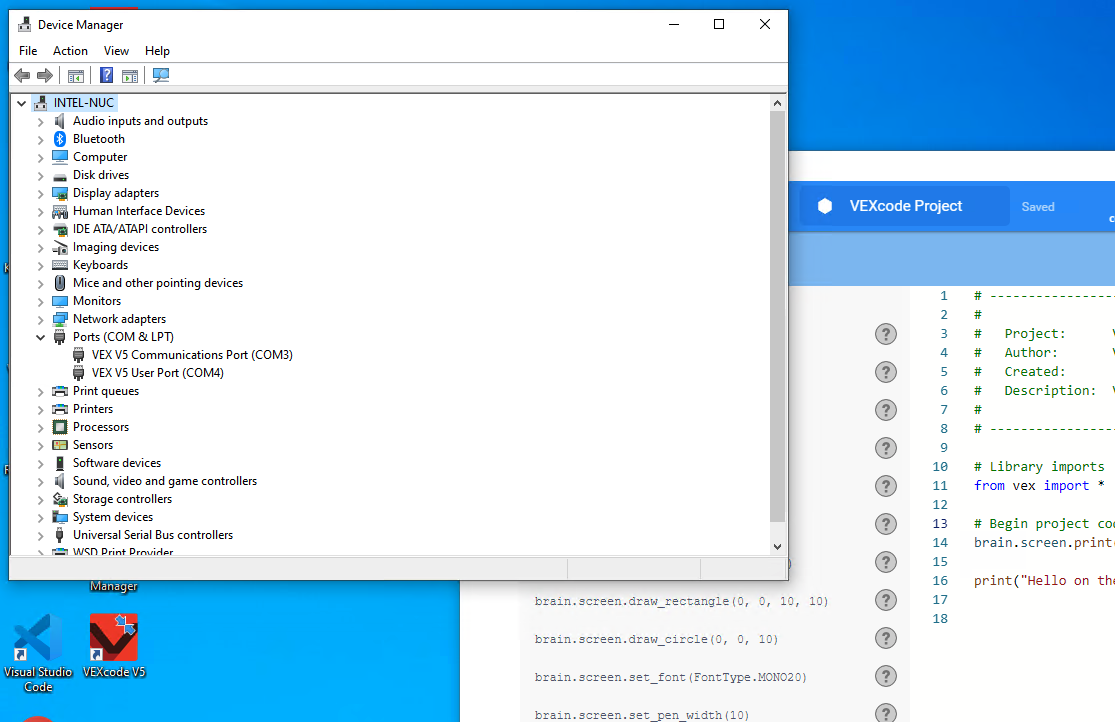
The V5 is using COM3 and COM4, the one we are interested in is COM4, the “VEX V5 User Port”.
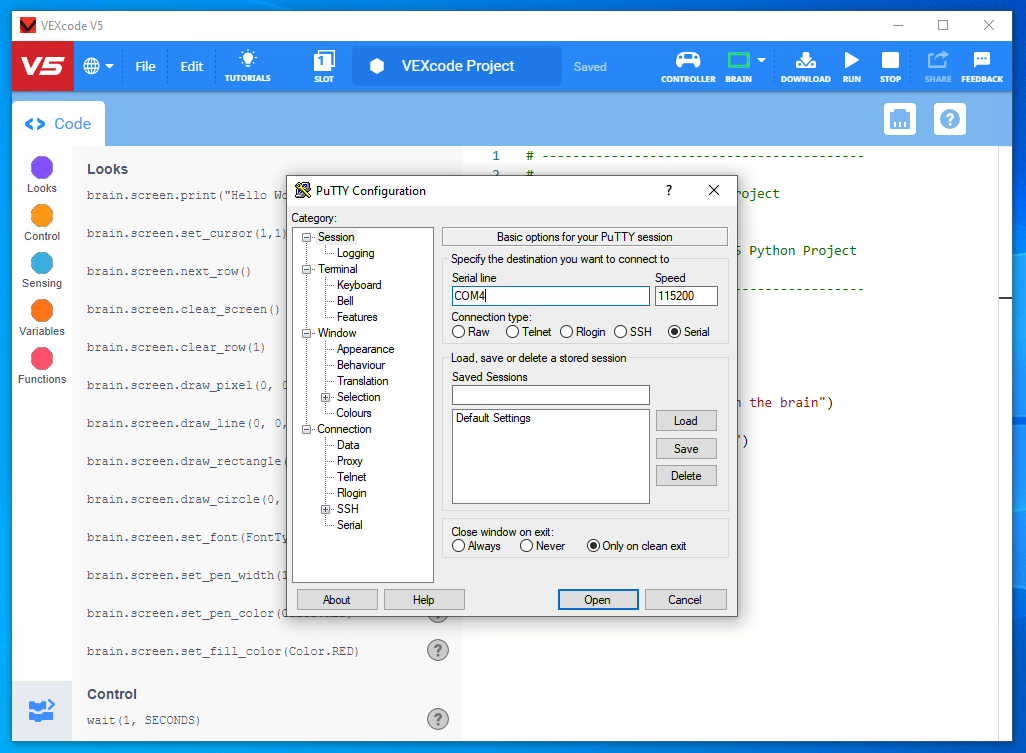
Launch PuTTY, select the serial radio button, enter the COM port and set baud rate to 115200 (although that probably doesn’t matter).
Write a small Python program in VEXcode, download and run, you will see the Python banner and anything you send to the console using the print command.
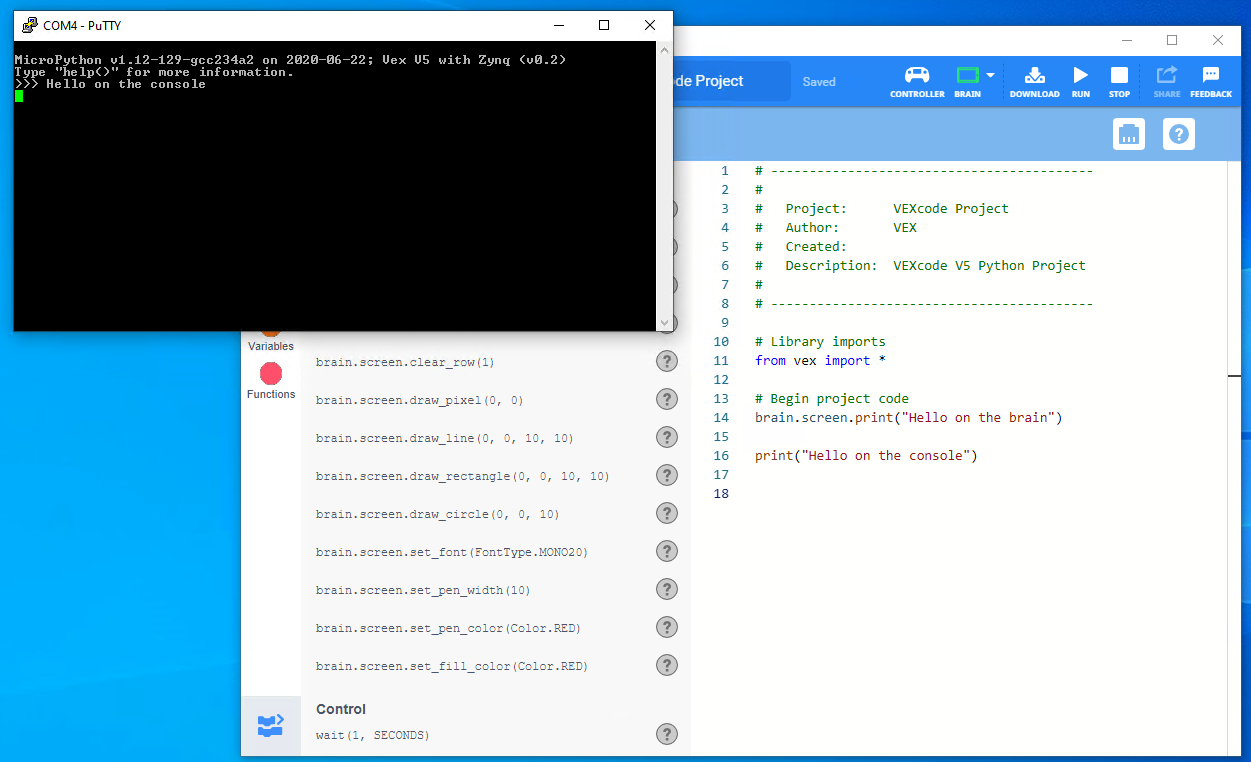
You can now interact with Python just as if you were writing a program in VEXcode, however, these are temporary commands and any devices or variables you create will be lost when the V5 brain runs another program or is turned off.
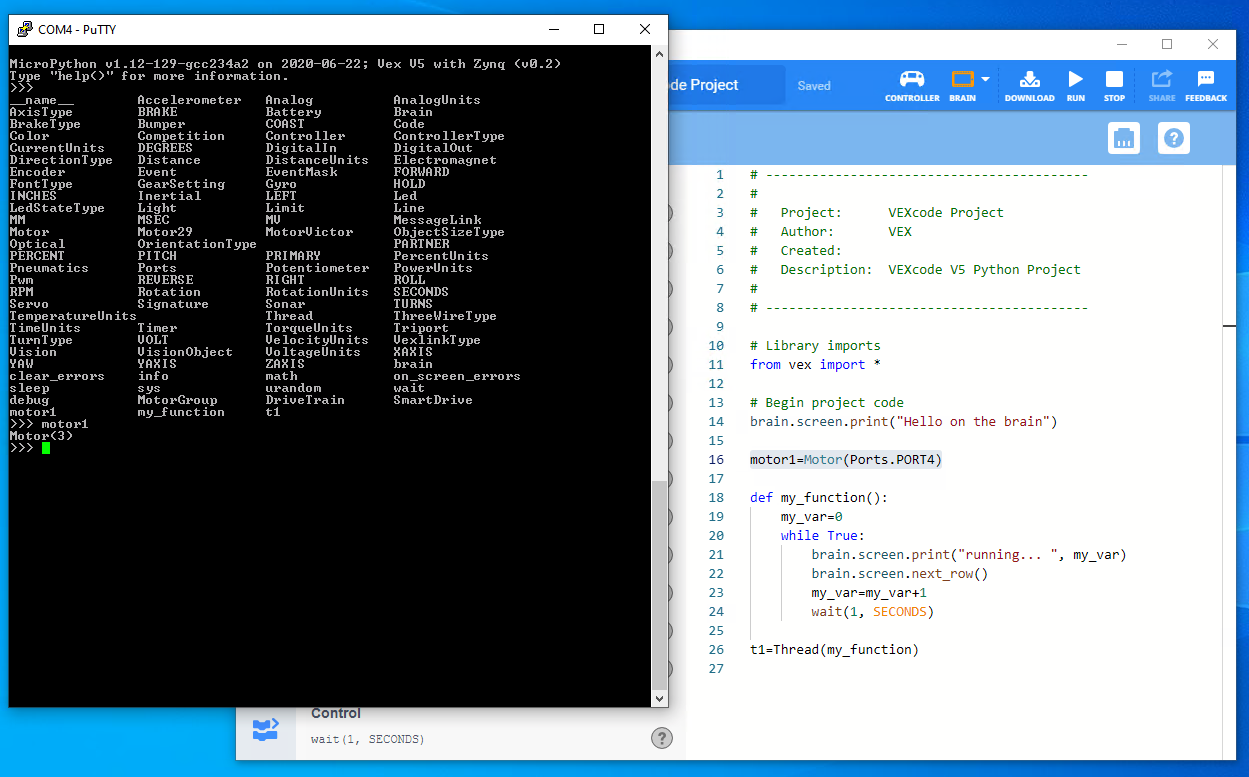
Hitting tab will show a list of currently know commands and objects.
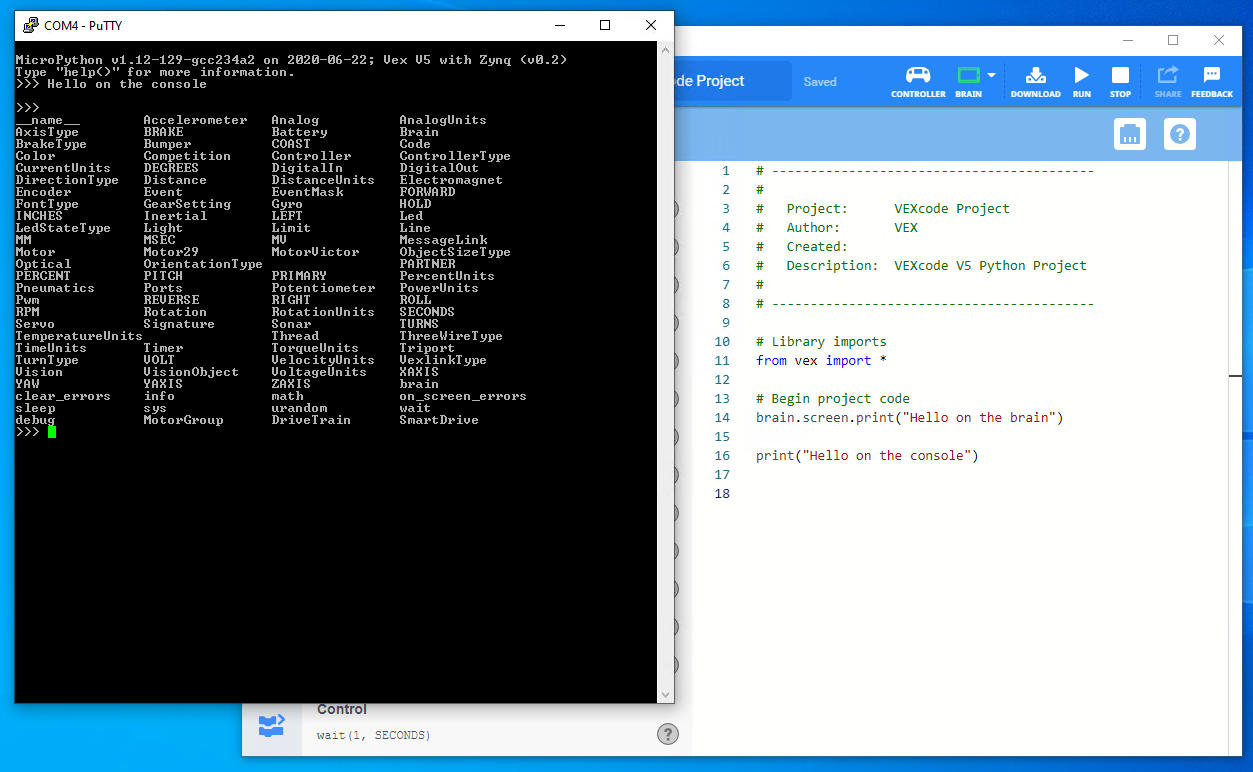
There’s quite a lot as we import everything from the vex module for convenience.
now you could create a motor instance.
m1=Motor(Ports.PORT1)
ask the motor to spin
m1.spin(FORWARD, 10, RPM)
if at any point during entry you forget what the command is you can hit tab, it will show current options.
perhaps ask for motor position
m1.position()
and then send stop
m1.stop()
Here are what those commands look like in PuTTY.

This is a great way to experiment with commands and learn what’s possible, if you have a Python program on the V5 there’s even no need to fire up VEXcode to just play with the REPL, just run the program with PuTTY connected.
note. VEXcode V5 Pro also has a terminal program integrated, it’s not as powerful as PuTTY and does not support the VT100 command set that is really needed for the REPL. Make sure VEXcode V5 Pro is closed to use PuTTY or disable the terminal in its preferences.