You can’t double-click a .vrblocks file to open VEXcode VR since it’s a web based tool. You have to use the “Load from my device” option from within VEXcode VR.
4 Likes
Thanks for responding, but maybe I was not clear about the issue. My student did not get this message when trying to open a .vrblocks file (totally understand why that doesn’t work- that’s NOT what my question is about). The error occurred when attempting to SAVE a project, using the “save to my device” option from the file menu. I found it odd that she got an error that seemed to relate to OPENING a file when trying to SAVE.
Does anyone have any insight into why this might happen, or how to solve this problem?
This is likely a browser setting trying to launch the file automatically after downloading. This would be set by the user’s browser and isn’t controlled by VEXcode VR. If the “Always Open Files of This Type” is set, Google Chrome will tell the host OS to try and open the file, thus causing the error you speak of.
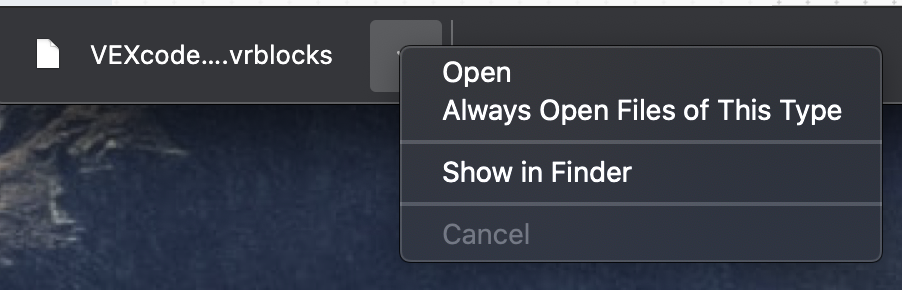
2 Likes
This topic was automatically closed 365 days after the last reply. New replies are no longer allowed.