@jpearman . Sorry to bring back this topic but I was now able to bring batteries home and test them on the battery medic because I can’t get wifi at school. One of the batteries can turn the brain on for like 2 seconds then not work while the other two don’t even power on the brain. So how am I supposed to run it if I physically can’t
Will it run the brain if the charger is connected to the battery ?
Do the batteries even try and charge ? (ie. do the green LEDs flash when charger is connected)
Well I don’t have access to a charger right now. I didn’t think I would need that. But yes I do know that they charge
Try again when you have a charger.
It sounds like the batteries have been perhaps discharged too far if they will not even power the brain. Plug in the charger, see if they start charging, then with the charger connected, try and power the brain and run the battery medic. See what the cell voltages are, if one is significantly below the others that’s most likely the problem, but without data I’m just guessing.
Well the thing is we have other batteries like these that were about 50 percent charge and just not work after like acouple seconds. I’m not sure if it is a problem with charging.
The thing is, you also said this.
So the charge indicator may be useless unless you have been through a full charge/discharge cycle.
Without data from the battery medic there’s nothing more I can suggest.
Ok so does that mean I have to let the batteries die and fully charge them again and then do the medic?
@jpearman we are trying to run the battery medic but when holding shift and v it wont’ pop up. What do we do
Just to be clear, you need to press shift+v and press the V5 icon. I had to try a couple times when I did the battery medic.
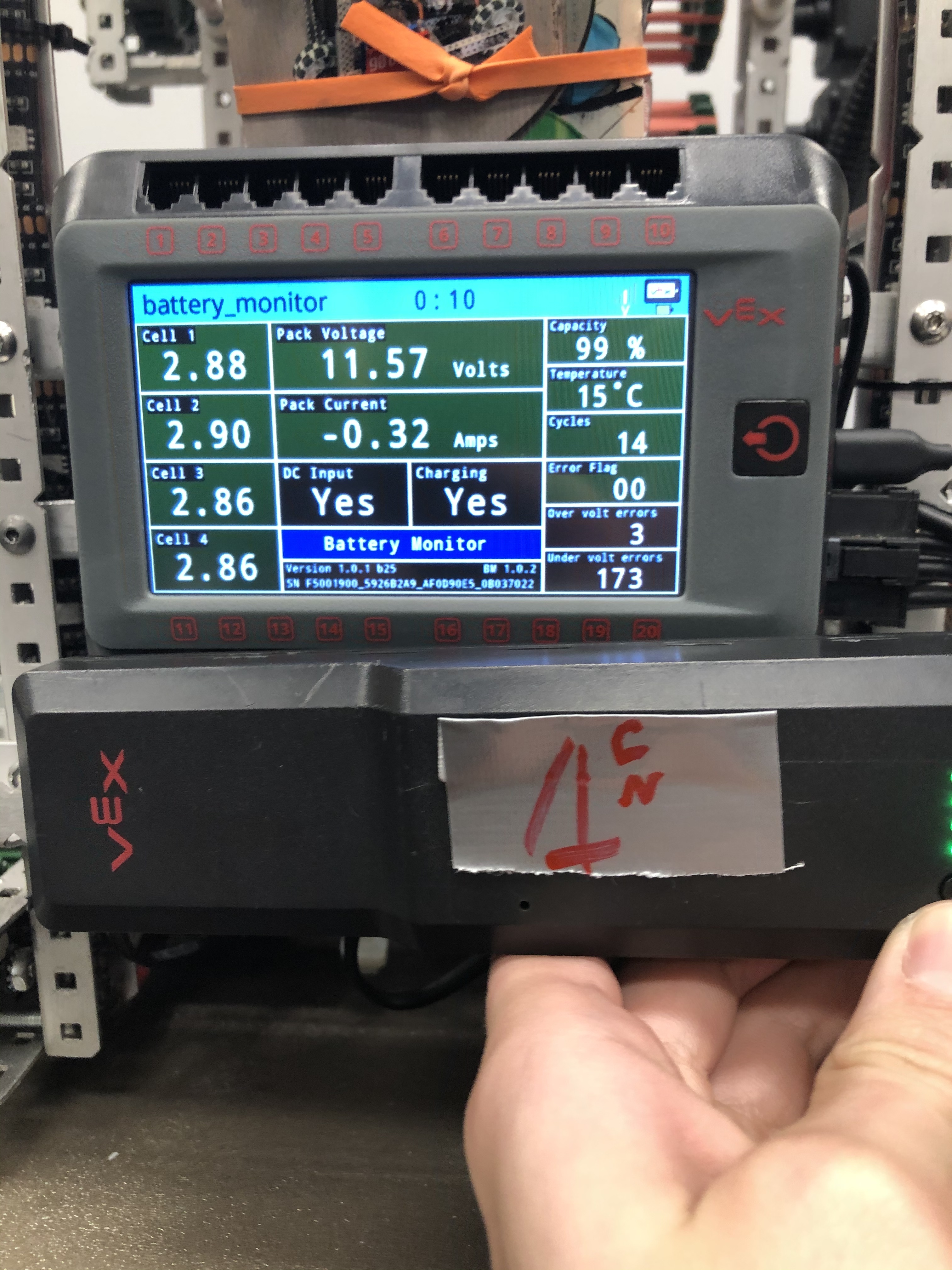
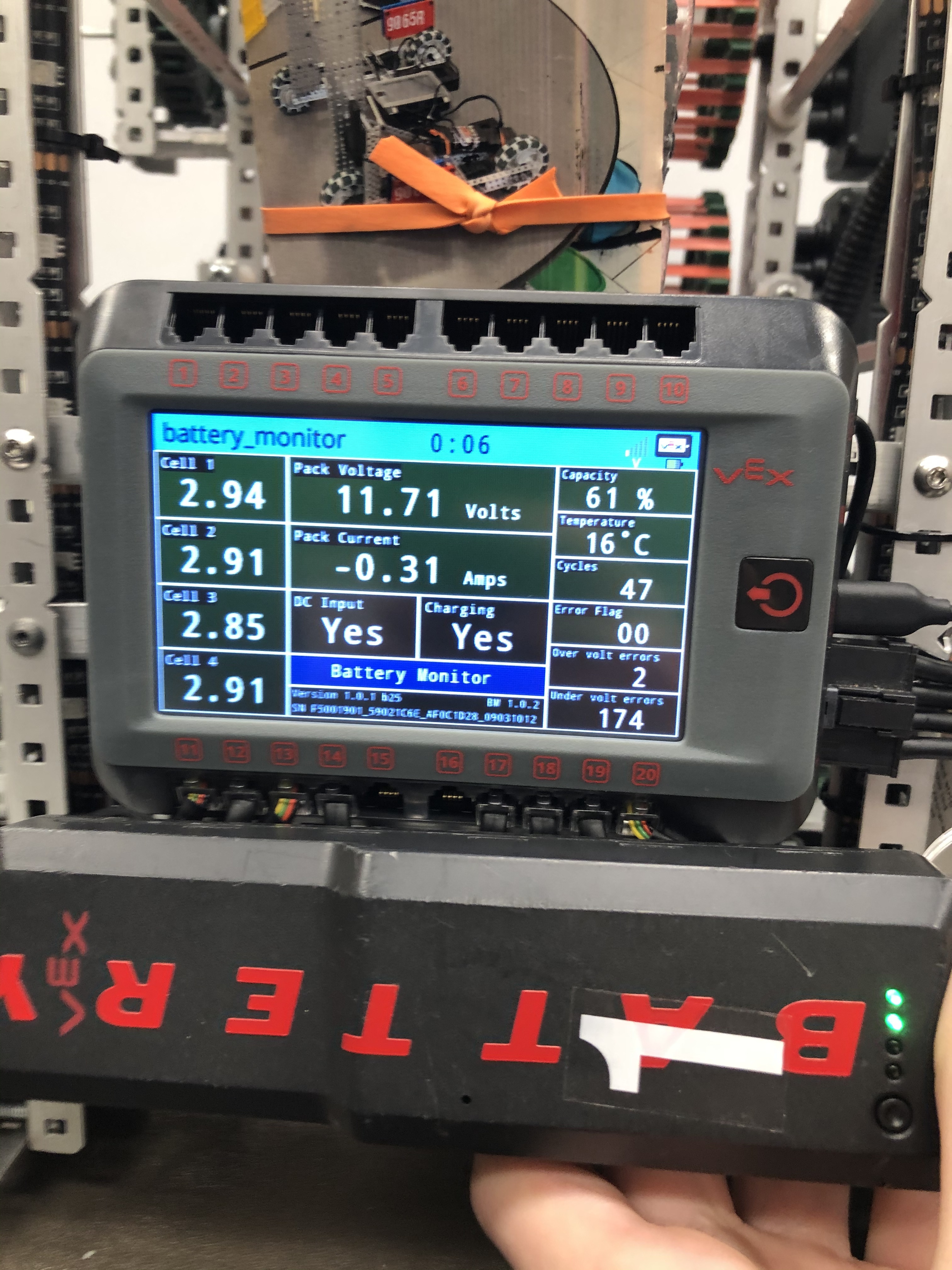
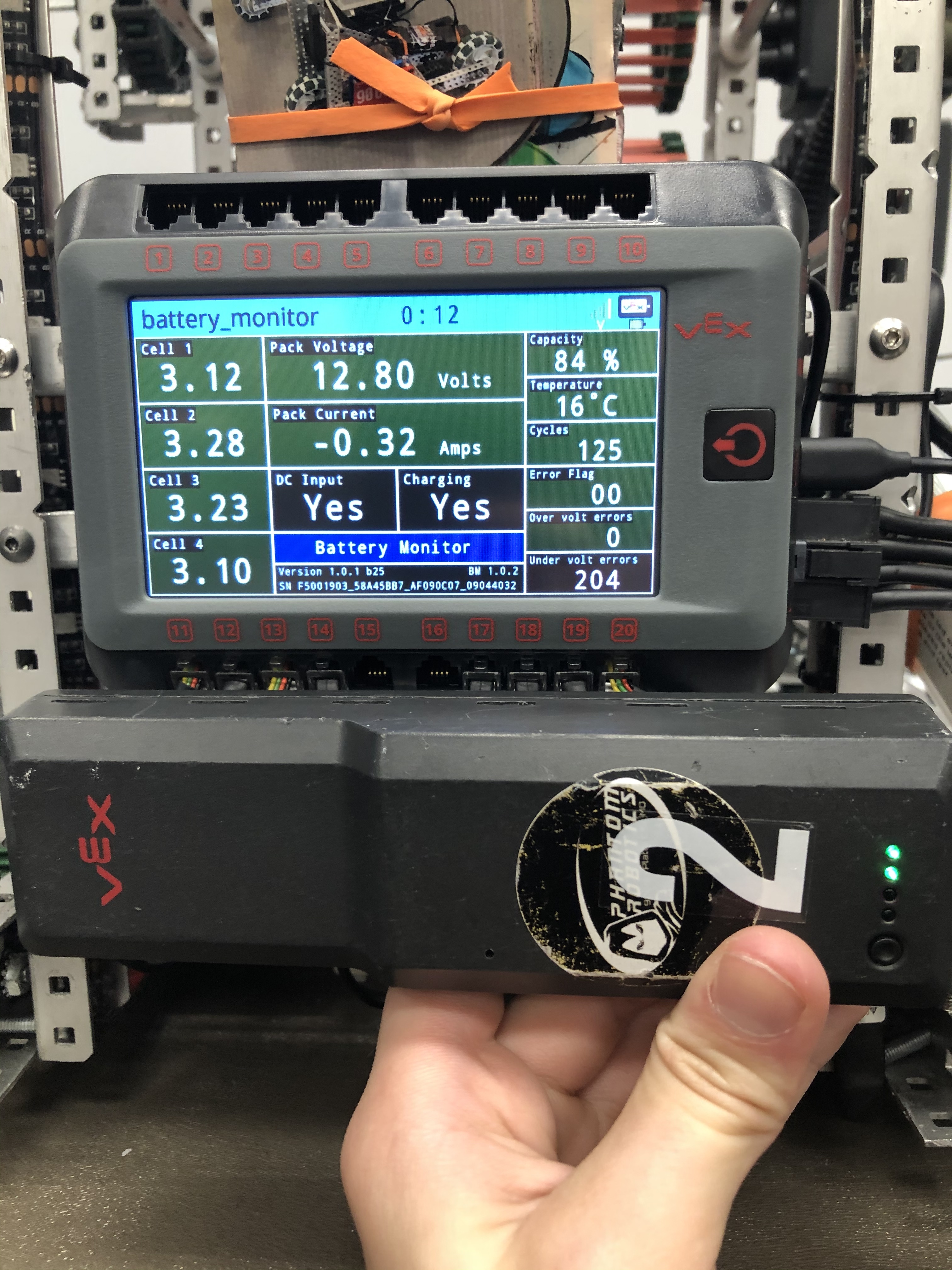
Leave the battery connected and charging with the battery medic running until the “charging” label shows “No”, you should see a pack voltage close to 14.4 V, that may take 1 to 2 hours. Even though the battery in the first image shows 99%, the pack voltage is only 11.57 V, no where near charged (use of the reset button messes up the capacity display as I said earlier).
Once it is charged, disconnect the charger and see how the cells behave as it discharges. You have a huge number of under volt errors, we need to see if one cell is bad or if you kept trying to use a discharged battery.
Ok thank you. But are both of problems fixable . And if they are does it require us going into the batter which is illegal but we can still just use for practice.
Hey @jpearman, sorry to piggyback on this thread and bother you, but I have a similar battery issue. Some of my batteries are dying at what is displayed as around 50%, which seems a bit uncharacteristic of them. When they die, they display a red flashing LED in the fourth position at a very fast speed, and according to this, that means the battery is critically low.
As a side note, I’ve worked with our V5 stuff since our team got them and I don’t think we have ever reset the battery, so that shouldn’t be a problem.
I’ve tried the battery medic, and so I’ve inserted these two screenshots, which I think are probably most relevant. The other screenshots I have are included in a zipped folder further down.
This is the max battery power it got when I charged it all the way through, at which point it stopped charging (sorry I didn’t get a pic at exactly 100%, but this should be close enough).
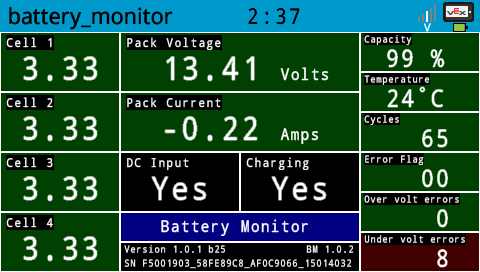
According to this (that JPearman also posted), the pack voltage should reach 14.4V and the cells should reach 3.6 V. 
Then, I let the robot sit and run the battery down, and it died at around 47 % (it added an under volt error as you can see). I had to recharge the battery a little bit to reconnect to the computer and restart battery medic and I got this right before the battery died.
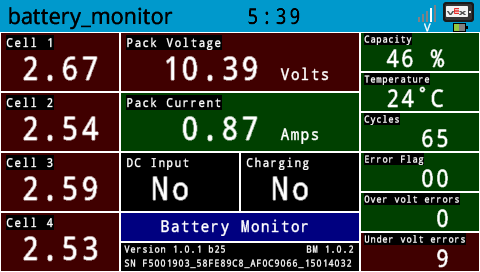
The cells are all fairly close to under volt shutdown.
Screenshots.zip (1.1 MB)
(the last three screenshots are from the restart after the under volt shutdown)
We started using this battery in April of 2019.
Do you have any idea what the problem is (or if there is a problem)?
Did the “charging” label switch to No ? How did you determine it stopped charging ?
Ok, I looked at the other screen shots. It did finish charging due to timeout.
Try that again with motors etc. disconnected from the V5 brain, that battery was only charging at .22A, (it would be 1A if disconnected from the brain, and close to 0.75A if the brain has no other load) so I’m not surprised it was taking a long time.
Yes.
Picture in my post above.
Next picture I have.
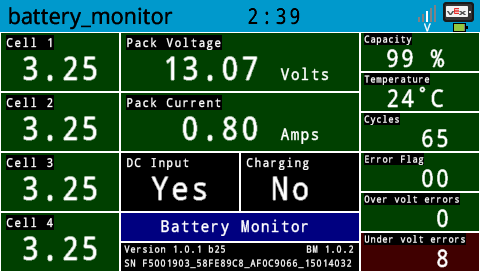
I then unplugged the charger and took another screenshot.
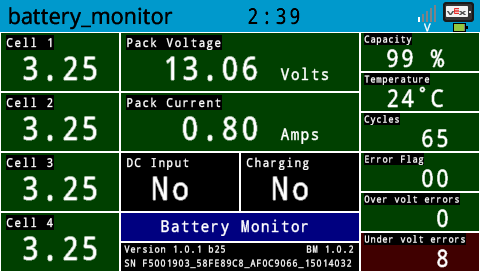
The sporadic screenshots are due to the fact that I was running a batch script (my first!) on my computer that took a screenshot every 3 minutes (or sooner if I pressed a key).
See above re charging with less load on the V5, if the pack voltage does not get close to 14.4V then there’s something wrong with the battery,
If there is a bad cell, then that’s not fixable, there are no serviceable parts inside the battery, it’s not designed to be opened. But we need to see if the issue is just incomplete charging.
Ok. So I am currently doing to thing you told me to do earlier. So if the batteries ends up at actually broken can we send them to vex to get new ones or get them fixed? We don’t want to have new batteries because we have three teams and that costs a lot of money
The battery is now at 14.45/14.46 but still says it charging to I keep it charging or no?
Let it finish, it may take a few minutes.
What are the cell voltages ?