Additionally, can we get some extra information about the camera on the AI vision sensor like the focal length and focal position so that we can calculate the pose of the apriltags?
1 Like
Not sure what you are after, API ?
VEXcode supports the C++ and python AI Vision sensor APIs, but has not implemented anything in the configuration screen yet for blocks.
Here’s some demo code that shows how to read tags (this was done in VSCode, comment out the brain instance in VEXcode)
demo code
/*----------------------------------------------------------------------------*/
/*                                                                            */
/*    Module:       main.cpp                                                  */
/*    Author:       james                                                     */
/*    Created:      3/24/2024, 4:35:48 PM                                     */
/*    Description:  V5 project                                                */
/*                                                                            */
/*----------------------------------------------------------------------------*/
#include "vex.h"

using namespace vex;

// A global instance of vex::brain used for printing to the V5 brain screen
vex::brain       Brain;

// define your global instances of motors and other devices here
vex::aivision a1( PORT1, aivision::ALL_TAGS );

int   screen_origin_x = 150;
int   screen_origin_y = 1;
int   screen_width    = 320;
int   screen_height   = 238;

void
drawObjectTag( aivision::object &obj ) {
    Brain.Screen.setPenColor( white );
    Brain.Screen.setFillColor( black );

    Brain.Screen.drawLine( screen_origin_x + obj.tag.x[0], screen_origin_y + obj.tag.y[0],  screen_origin_x + obj.tag.x[1], screen_origin_y + obj.tag.y[1] );
    Brain.Screen.drawLine( screen_origin_x + obj.tag.x[1], screen_origin_y + obj.tag.y[1],  screen_origin_x + obj.tag.x[2], screen_origin_y + obj.tag.y[2] );
    Brain.Screen.drawLine( screen_origin_x + obj.tag.x[2], screen_origin_y + obj.tag.y[2],  screen_origin_x + obj.tag.x[3], screen_origin_y + obj.tag.y[3] );
    Brain.Screen.drawLine( screen_origin_x + obj.tag.x[3], screen_origin_y + obj.tag.y[3],  screen_origin_x + obj.tag.x[0], screen_origin_y + obj.tag.y[0] );

    int px = obj.tag.x[3] + (obj.tag.x[0] - obj.tag.x[3])/2;
    int py = obj.tag.y[3] + (obj.tag.y[0] - obj.tag.y[3])/2;
    Brain.Screen.drawCircle( screen_origin_x + px, screen_origin_y + py, 3, red );
    Brain.Screen.drawLine( screen_origin_x + obj.centerX, screen_origin_y + obj.centerY,  screen_origin_x + px, screen_origin_y + py );

    Brain.Screen.setPenColor( black );
    Brain.Screen.setFillColor( white );
    Brain.Screen.setFont( mono12 );
    Brain.Screen.printAt( screen_origin_x + obj.originX, screen_origin_y + obj.originY - 5, "%d  %4.0f", obj.id, obj.angle );
}

void
drawObjects( bool clearScreen ) {
    if( clearScreen ) {
      Brain.Screen.setPenColor( black );
      Brain.Screen.drawRectangle( screen_origin_x, screen_origin_y, screen_width, screen_height, black );
    }

    a1.takeSnapshot( aivision::ALL_TAGS, AIVISION_MAX_OBJECTS );

    int objectCount = a1.objectCount;

    // draw objects
    if( a1.objectCount > 0 ) {
      for(int index=0;index<objectCount;index++) {
        auto obj = a1.objects[index];

        if( obj.type == aivision::objectType::tagObject ) {
          Brain.Screen.setClipRegion( screen_origin_x, screen_origin_y, screen_width, screen_height );
          drawObjectTag( obj );
        }
      }
    }
}

int main() {
    Brain.Screen.clearScreen( black );
    Brain.Screen.setPenColor( green );
    Brain.Screen.drawRectangle( screen_origin_x-1, screen_origin_y-1, screen_width+2, screen_height+2 );

    while(1) {
        Brain.Screen.setClipRegion( screen_origin_x, screen_origin_y, screen_width, screen_height );
        drawObjects( true );

        Brain.Screen.render();

        // Allow other tasks to run
        //this_thread::sleep_for(10);
    }
}
example of output.
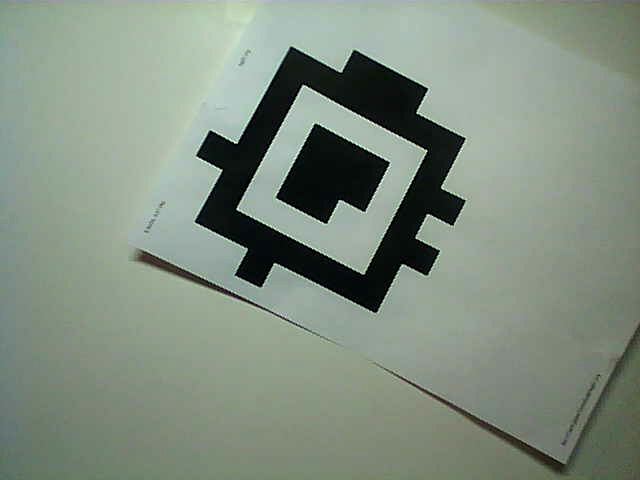

We are going to change the angle calculation in the future because it’s inconsistent with color code angle and just a bit weird at the moment.
4 Likes
Yes, that’s what I was looking for. I also did some digging in the headers and found some of what I needed. The help docs in vexcode doesn’t have a lot of that information. Are the corner coordinates given in the correct order needed to be fed into the AprilTag library pose estimation functions? Not sure what you’re using on the AI vision sensor, but if you’re using the actual AprilTag library there too it should be enough to simply maintain the order of coordinates that it gives. Are there any plans to do the actual homography on the sensor or in vexos so that students can get easy access to the pose estimations? Or is that going to be an “exercise left to the reader” thing?
1 Like
I assume.
We are for now.
That’s up to the education team, this is mostly for classroom use.
2 Likes
That might be the intention, but if AprilTags are actually put in place on the game and/or field objects in the future I can anticipate this sensor being revolutionary for vision applications in VRC. Heck, if there are any static tags in place on the field it could even be used as a localization solution, which pose estimation would be extremely valuable for.
Of course, this is all predicated on some of the details needed to perform homography
I’m really quite excited for the possibilities this can open up for students to dive into the math behind these kinds of things and CV in general. I think it could be a great addition for the program.
8 Likes


@bkahl is stock expected to improve in the short term, or are we in for another pneumatics experience? Either way it would be better to know just for planning reasons if for example we should expect to be able to get these enough before worlds to integrate them.
5 Likes
Ignorant question: Can the AI Vision Sensor return robot location information based on the GPS strips (or the equivalent on the new plastic fields)? If not, I’d be curious as to why given that the GPS strips seem to be similar to AprilTags.
Thanks!
1 Like
No
Well, there are obvious marketing reasons, but also the AI Vision sensor does not have an integrated IMU which is used in the GPS sensor to augment the data read from the GPS strips.
5 Likes
So is wearing apriltags on your team hoodies illegal?
6 Likes
Could one configure a set of apriltags that match the gps strips to the AI vision sensor so it can read the gps strips? (Im not an april tag user so forgive me if thats not how it works)
1 Like
No, the GPS strip and apriltags use completely different encoding methods.
3 Likes
Hello!
Sorry if I am missing something, but is the vex api updated for the ai vision sensor? I can’t seem to find it.
The SDK was updated to support AI Vision is the last VEXcode release (and VS Code extension would have downloaded the lastest SDK also).
api.vexcode.cloud/ is not updated, that’s become a bit obsolete.
1 Like
this looks great, my only concern after seeing this is that it might use all of the brain processing power, similar to the GPS, which used around 70 percent last time we used it. Does anyone know if this is a likely possibility, or should we test it ourselves?
Can you explain how you tested that? There should be no reason that either Vision Sensor would use significant V5 brain processing power.
1 Like
Anybody know why we didn’t the April Tags this year. What speed will it run at with having the massive AI processor?
early last season, we experimented with the GPS sensor, we coded an auton entirely using the GPS sensor values, and checking the stats on the brain’s display, we saw that the brain was using lots of processing power to run the GPS and associated code. It has been a while, so I don’t have exact details, unfortunately, but that was the leading factor in our decision not to use the GPS sensor.
Keep in mind that the game elements for each year are designed far in advance of the actual game reveal. It takes a long time for injection moulds to be manufactured, test runs to be performed, and the final go ahead for manufacturing to be given, and then everything needs to be shipped. Having no inside knowledge, I would not be surprised if the design for the High Stakes game elements weren’t finalized pretty early in 2023. I would be hopeful about next year though.
I don’t think there’s any indication that the AI processor in the new AI Vision Sensor is “massive”, it likely just has some hardware for accelerating AI inference, which is becoming a more common feature on modern microcontrollers. @jpearman can probably give some more definitive information as to what the performance of AI Vision Sensor with april tags actually is.
What stats? There aren’t any built-in statistics that show processor utilization that I’m aware of on the V5 brain.
9 Likes
I believe if you go to the “Devices” screen, and either tap on the sensor itself, or the brain, you can check the diagnostics. If this is incorrect, I am sorry, we must’ve been running a specific bit of code to get the details. Again, it has been a while, and I was not the direct coder in this instance. 
I wasn’t talking about the processor in the new sensor but the fact that to run the old AI components we needed a massive processor and that the new one works through the brain so the speed would be much lower I thought. I think that the AI processor makes most of the Difference but could be wrong.