I have a full detailed writeup here if anyone is still looking for specifics. I thought the sylib docs answered it all but apparently not.
I ordered the same leds from the link above, soldered and everything and only the first two leds are lighting up dimly. I am using your template code. I think it is that 3.3V-5V discrepancy you are talking about.
If I got the 74HCT125 chip, how would I wire it with the strip?
Did the Python support ever occur yet? I think you under estimate the number of teams that would latch on to this and learn a new skill to take their robots to the next level. Thanks -Richard.
yes, it was added, very basic but you could build a more complex class around the provided functionality.
from the VSCode help/stubs
# ----------------------------------------------------------
AddressableLedList = Union[List[Color], List[Color.DefinedColor]]

class AddressableLed:
    '''### Addressable led class

    #### Arguments:
        port : The 3wire port to use for the addressable led strip

    #### Returns:
        An instance of the AddressableLed class

    #### Examples:
        addr1 = AddressableLed(brain.three_wire_port.a)
    '''
    def __init__(self, port):
        self._index = port

    def value(self):
        return 0

    def type(self):
        return 0

    def clear(self):
        '''### clear all addressable led to off

        #### Arguments:
            None

        #### Returns:
            None

        #### Examples:
            addr1.clear()
        '''
        pass

    def set(self, data:AddressableLedList, offset:vexnumber=0):
        '''### Set the addressable led strip to provided values

        #### Arguments:
            data : An list of Color values
            offset (optional) : index of led to start at, 0 based

        #### Returns:
            None

        #### Examples:
            addr1 = AddressableLed(brain.three_wire_port.a)\\
            pix = [Color(0x800000),Color(0x008000),Color(0x000080)]\\
            addr1.set(pix)
        '''
        pass
you could extend
class AdvancedAddressableLed(AddressableLed):
    pass

    def all_red(self):
        self.set([Color(0x800000)] * 64)

    def all_green(self):
        self.set([Color(0x008000)] * 64)

    def all_blue(self):
        self.set([Color(0x000080)] * 64)

    def rotate(self, data):
        data[:] = data[1:] + data[:1]
        self.set(data)

a=AdvancedAddressableLed(brain.three_wire_port.a)

# 60 led colors
c=[Color(0xC00000),
   Color(0x800000),
   Color(0x400000),
   Color(0x300000),
   Color(0x200000),
   Color(0x100000)
  ] * 10

def test1():
    while True:
        a.rotate(c)
        sleep(100)

test1()
I have a question for you @Sylvie, So I bought a 16.8 foot roll of LED lights off of Amazon for our robot (To look nice for states). They are just regular led lights with a controller and I also bought a 3 AA battery box to power these. If I set the colors before a match and didn’t mess with them during the match do you think that would be okay? (They aren’t hooked up to the brain btw)
Not sure why you asking Sylvie (graduated and presumably moved on to bigger and better things). These sound like non-functional decoration which is covered by R8 in the game manual.
Thank you! They really aren’t serving a purpose besides looking cool 
If you’re doing this just make sure you are not using an additional microcontroller which is banned by R11 that states
Robots have one microcontroller. Robots must ONLY use one (1) VEX V5 Robot Brain (276-4810). Any other microcontrollers or processing devices are not allowed, even as non-functional decorations.
There’s a receiver inside of the led strip that detects the infared light from the controller and changes the color of the led lights according to the infared signal. Is this a micro controller? (I really hope not)
Last years Q&A, although these do not apply to this year, I’m sure if you asked the same question you would most likely get the same answer.
How do I do the Q&A ?
you need an account on robotevents.com, usually only coaches and mentors have that access.
I am impressed by this project. I have been starting an automatic LED sign that turns on when you pass near it, but I still have some details I must learn before finishing the project. I learn almost everything from this website called leds.to, and they have some fantastic articles, information, and even product recommendations. However, if you have more resources that would be great for guidance, please share them here!

At that point the three wire is no longer being used as a functional part of the robot and unstead becomes part of a non-functional decoration.
Ah that makes sense. Thanks!
So turns out you don’t need a logic level converter, you can just use diodes instead. Putting one in line with the 5v power drops the voltage to 4.3v, which because the WS2812B led strips detect logic at .7*5v (input voltage) the strips want 3.5v logic. Because the diode drops the voltage to 4.3v the strips can detect logic at 3v which makes the strips work properly.
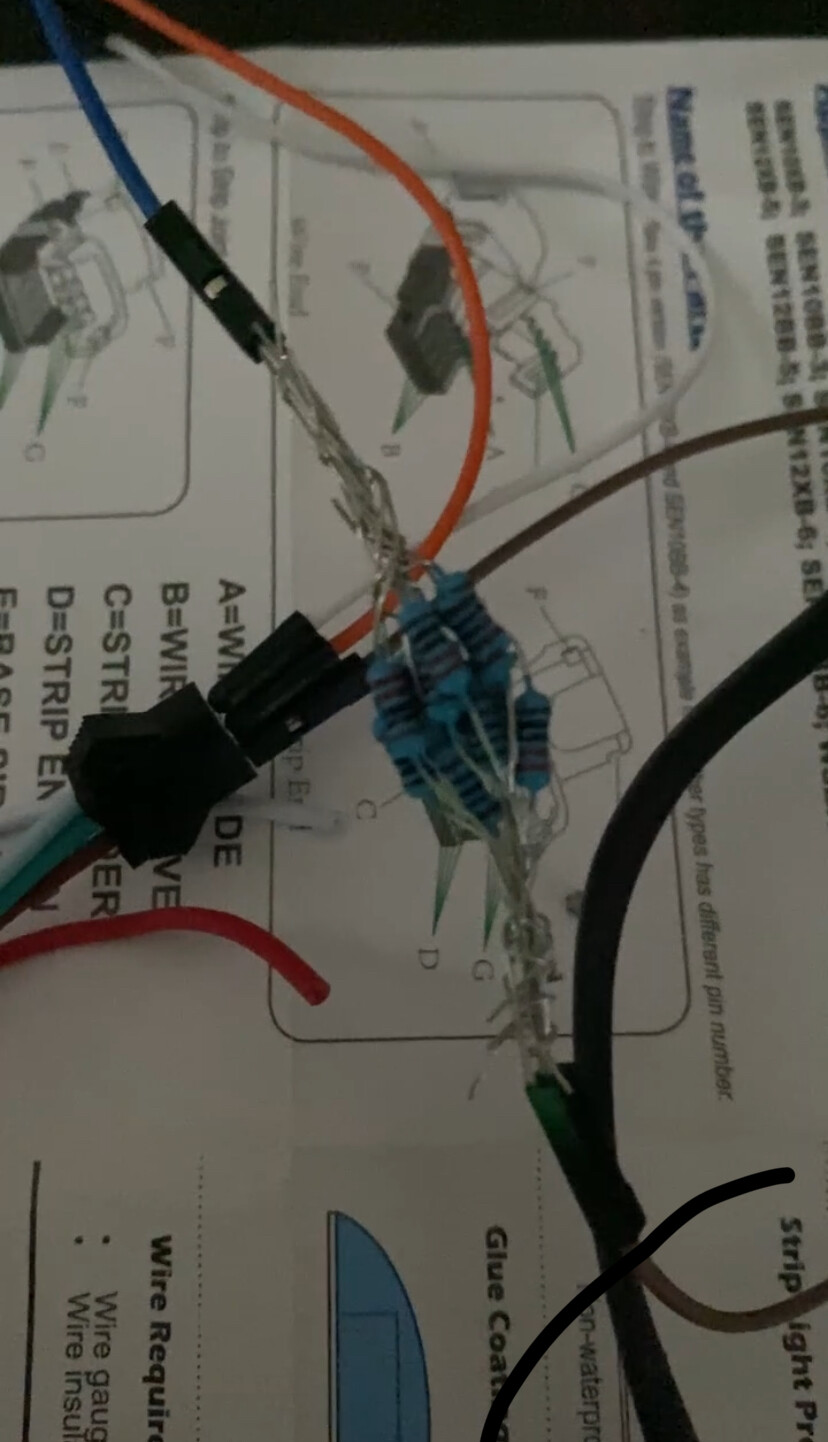
sure, that can handle the logic level issue but does not address the waveform edge issue. However, if the LED strip works then it’s all good, just make sure the diode can dissipate enough power (worse case would be about 1.4W).
As a note to the legality of using a buffer IC, based on the GDC ruling of my speaker last year, I would assume they would continue to maintain that single purpose ICs are legal, even though microcontrollers aren’t. Of course, rulings don’t necessarily continue season to season, and there hasn’t been an official Q&A, but I’d be pretty confident in this being allowed.