HELP! I need feedback

So, I am completely new to coding (only know a few basics) so I would really like some feedback on my VEX V5 c++ autonomous code. So basically, this is for the pushback stuff where the bot has to put in blocks in long goals. I used some GPS grid to see where exactly to program the bot to go or stop. But what are some subtle errors that I’d need to fix and what I can do for improvement?

Code:

#pragma region VEXcode Generated Robot Configuration
// Make sure all required headers are included.
#include <stdio.h>
#include <stdlib.h>
#include <stdbool.h>
#include <math.h>
#include <string.h>


#include "vex.h"

using namespace vex;

// Brain should be defined by default
brain Brain;


// START V5 MACROS
#define waitUntil(condition)                                                   \
  do {                                                                         \
    wait(5, msec);                                                             \
  } while (!(condition))

#define repeat(iterations)                                                     \
  for (int iterator = 0; iterator < iterations; iterator++)
// END V5 MACROS


// Robot configuration code.
controller Controller1 = controller(primary);
motor leftMotorA = motor(PORT1, ratio18_1, false);
motor leftMotorB = motor(PORT3, ratio18_1, false);
motor_group LeftDriveSmart = motor_group(leftMotorA, leftMotorB);
motor rightMotorA = motor(PORT2, ratio18_1, true);
motor rightMotorB = motor(PORT4, ratio18_1, true);
motor_group RightDriveSmart = motor_group(rightMotorA, rightMotorB);
gyro DrivetrainGyro = gyro(Brain.ThreeWirePort.A);
smartdrive Drivetrain = smartdrive(LeftDriveSmart, RightDriveSmart, DrivetrainGyro, 319.19, 320, 40, mm, 1);

inertial Inertial5 = inertial(PORT5);


// generating and setting random seed
void initializeRandomSeed(){
  int systemTime = Brain.Timer.systemHighResolution();
  double batteryCurrent = Brain.Battery.current();
  double batteryVoltage = Brain.Battery.voltage(voltageUnits::mV);

  // Combine these values into a single integer
  int seed = int(batteryVoltage + batteryCurrent * 100) + systemTime;

  // Set the seed
  srand(seed);
}

bool vexcode_initial_drivetrain_calibration_completed = false;
void calibrateDrivetrain() {
  wait(200, msec);
  Brain.Screen.print("Calibrating");
  Brain.Screen.newLine();
  Brain.Screen.print("Gyro");
  DrivetrainGyro.calibrate();
  while (DrivetrainGyro.isCalibrating()) {
    wait(25, msec);
  }
  vexcode_initial_drivetrain_calibration_completed = true;
  // Clears the screen and returns the cursor to row 1, column 1.
  Brain.Screen.clearScreen();
  Brain.Screen.setCursor(1, 1);
}

void vexcodeInit() {

  // Calibrate the Drivetrain
  calibrateDrivetrain();

  //Initializing random seed.
  initializeRandomSeed(); 
}


// Helper to make playing sounds from the V5 in VEXcode easier and
// keeps the code cleaner by making it clear what is happening.
void playVexcodeSound(const char *soundName) {
  printf("VEXPlaySound:%s\n", soundName);
  wait(5, msec);
}


// define variable for remote controller enable/disable
bool RemoteControlCodeEnabled = true;

#pragma endregion VEXcode Generated Robot Configuration

// Include the V5 Library
#include "vex.h"
  
// Allows for easier use of the VEX Library
using namespace vex;

float myVariable;

// "when started" hat block
int whenStarted1() {
  return 0;
}


int main() {
  // Initializing Robot Configuration. DO NOT REMOVE!
  vexcodeInit();

  autonomous(); // run autonomous
while (true) {
  task::sleep(10, msec)


}Drivetrain.setDriveVelocity(70, percent)
Drivetrain.driveFor(forward, 600, mm)
Drivetrain.stop()

//Grabs hold of blocks
Motor.setVelocity(80, percent)
Motor.spin(forward)
Motor.spin(forward, 10.0, volt)
Motor.isSpinning(forward, 720, degrees, true)
  wait(2, seconds)
  task::sleep(100, msec)
Motor.stop;

//Scoring the blocks into the long goal
Drivetrain.turnFor(right, 90, degrees)
Drivetrain.driveFor(forward, 300, mm)
Drivetrain.turnFor(right, 90, degrees)
Drivetrain.driveFor(forward, 600, mm)
Drivetrain.turnFor(left, 90, degrees) 
task::sleep(100, msec)
Motor.spin(reverse)
Motor.isSpinning(reverse, 720, degrees, true)
wait(2, seconds)
task::sleep(100, msec)
Motor.stop;
}
I don’t use vexcode, but don’t you need to have some sort of object to read the state of game and then either run the auton, or opcontrol.

Yes. Do you mean adding something like “competition” before autonomous?

Just read this documentation

Are you better at block?

It isn’t clear clear to me which parts of your code were automatically generated. But just be aware that any code in main() after this block will never be executed, since control gets stuck in this loop.

Hmm I don’t use block code, only text

I love block code! Can you explain to me what the code is doing? Also block is the best starter (imo).

Block coding is much harder to use than text, if your trying go get a consistent autonomous you should never use block.

I’m going to try and learn text, any recommendations?

Inconsistent use of camelCase, snake_case, and PascalCase:

Unnecessary define for a function that has no usage:

Unnecessary pragma for “endregion” which makes no sense in the context:

Top of code:

Middle of code:

I hate to be that guy, but bar yourself from using AI for coding. Use AI for coding clarifications, NOT to code for you.

  1. Pull out a fresh unused notebook
  2. Go to https://www.learncpp.com/
  3. Hunker down and learn using Visual Studio IDE (it’s ok to separate temporarily in another coding platform)
  4. ONLY use AI to clarify and give examples.
  5. Re-visit the VEX ecosystem and try coding using your experience gained from LearnCPP

If you truly wish to learn C++ and accelerate your learning, take 6 months from VEX as a “research period.” You will need roughly 6-8 months of no-pressure downtime to learn C++ cohesively from learncpp. Only use AI to clarify code during this learning period, not to write code for you.

This isn’t just applying to you, but my personal suggestion for all coders competing in VEX.

While I do agree, why not use block code? Or I’m just the only one addicted to it. I came from block code, and all your doing is just dragging, and all the functions you need are provided and defined for you and if you want to use a non listed function, just use the switch blocks. but [quote=“Park3rAnhKh0iJa3hn, post:9, topic:144265”]
Block coding is much harder to use than text,
[/quote]

I don’t agree with this coming from my perspective. tbh I don’t know what else to say

Prepare for a very large infodump.

My first 3 semesters while at an engineering college at Texas A&M University, everyone starts out as “general engineering.” Then after, you would apply into a major such as aerospace, computer science, or mechanical.

And in those 3 semesters, all of them required programming. In fact, your first semester in an engineering college may likely be a programming course. And this aplies to all engineering pathways.

Around half of the individuals in my general engineering program dropped out before getting into an engineering major. People drop out due to the difficult mathematics, electrical engineering, programming difficulty, or a multitude of factors such as personal/family. However, many of those accepting college applications are more likely to admit someone into engineering with higher levels of programming and mechanically applied experience → Which VEX Robotics can afford you.

By learning C++ before you graduate high school, or by taking a computer science course in high school, you unlock so many more opportunities and reduce academic friction in the present and future for you.

  1. You give yourself more libraries and systems to utilize, which gives you a more competitive edge in VEX Robotics.
  2. You can put that you are familiar with C++ in college applications to improve your odds if things end up holistic (holistic meaning that you are accepted for your knowledge in the industry instead of mere general academic performance).
  3. You have an easier time your first three semesters, allowing you to get more familiar with engineering and get an academic bump at the start of your career.

So I do understand learning blocks introduces you into programming at the start. But I strongly suggest at some point to take a 6 month break from VEX and learn C++ (or at least taking a Computer Science course if available). It is only one time, but you will have that programming knowledge for the rest of your life.

The hardest thing about programming at the start is mentally bridging digital programming with actions in the physical world.

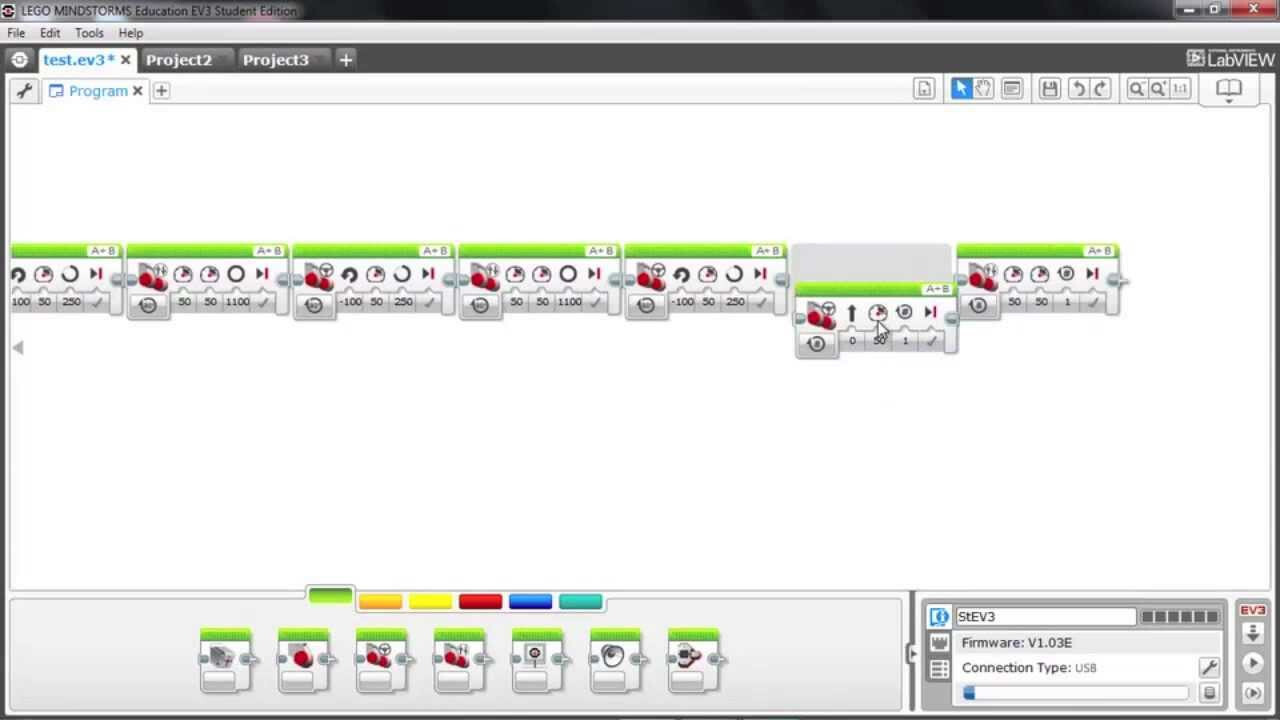
I remember in LEGO when they had something similar to block coding. It was quite simple, but it introduced me into the programming space a lot easier than jumping straight into text. I think the fact that there is something visual about blocks that lets it be low barrier and not as stressful to learn. This was the biggest assistance that bridged the digital world to the real world actions.

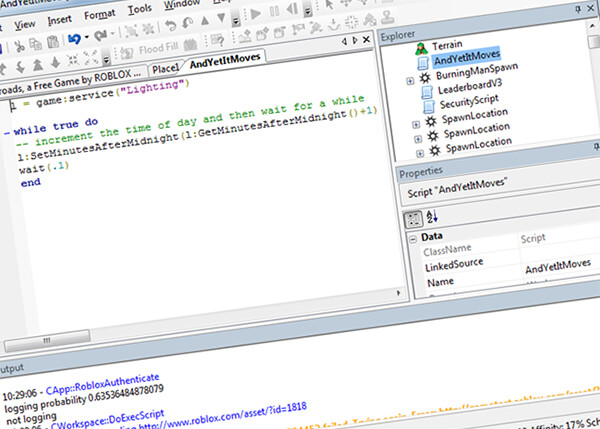
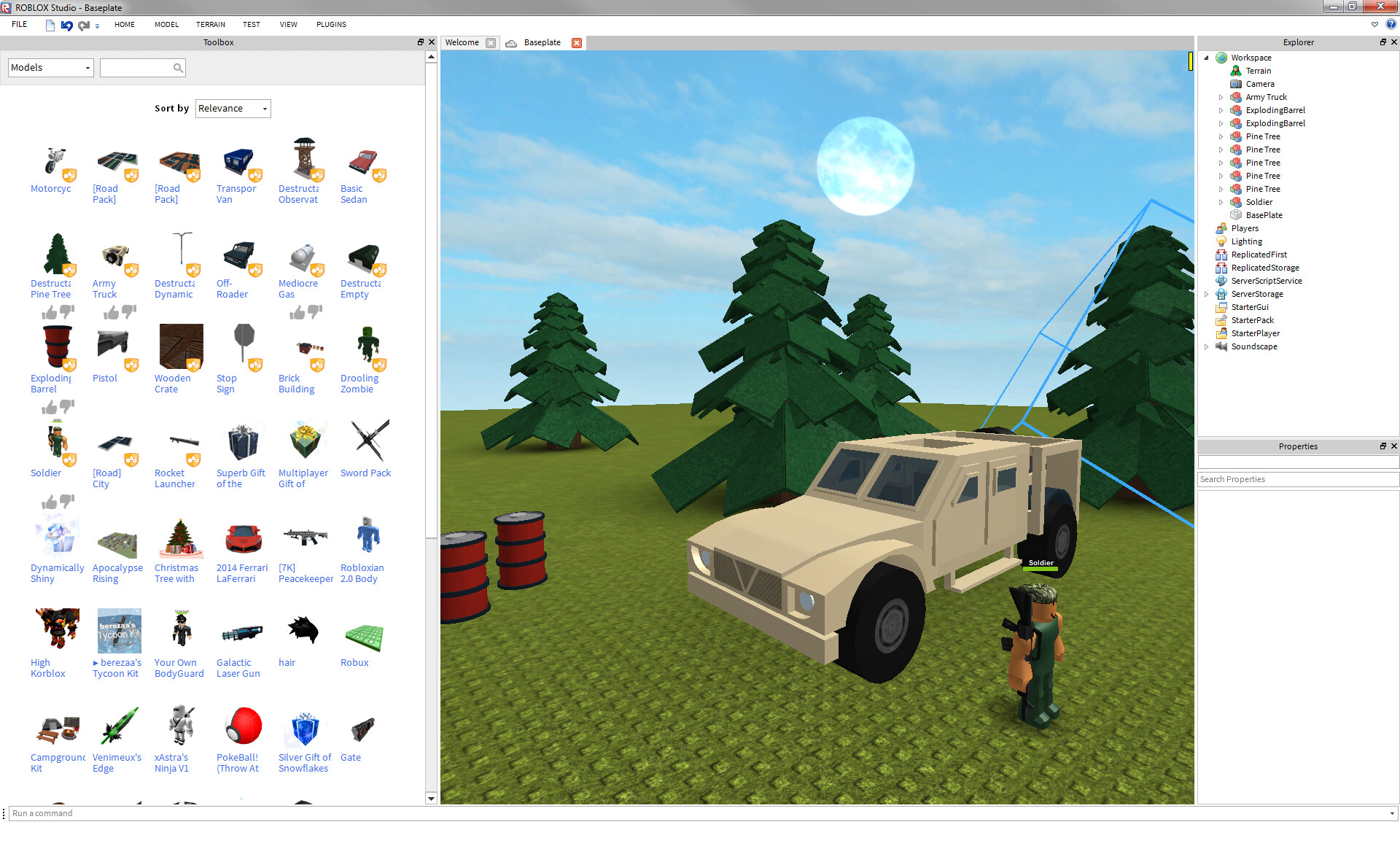
Also at the time there was Roblox, which was way easier to code in 2014 compared to 2026 because everything was replicated between server and clients (big security issue at the time, but at least made programming games so much easier than now).

I remembered using the Roblox having a toolbox and I would see what the community made to start learning to program:

I learned that I can modify pre-made graphical user interfaces (GUI’s):

I then learned RobotC when I was in VEX:

At the time, I paid around $70 in 2016, or around $95 today to program in RobotC in VEX Robotics. Oh yeah, programming required paying unless you used PROS. This was in C, and honestly this was where I started to learn a bit more about programming.

In 2017, I took a computer science course in high school and dropped out because I was struggling with the history sections. But then, I took computer science again in 2018 and got an A in the course. I learned about Java and data types like strings, floats, integers, and classes.

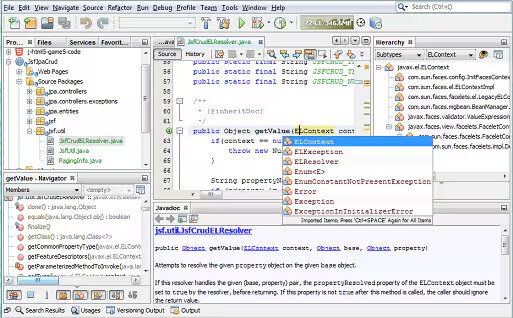
The programming language in my computer science course was NetBeans for Java:

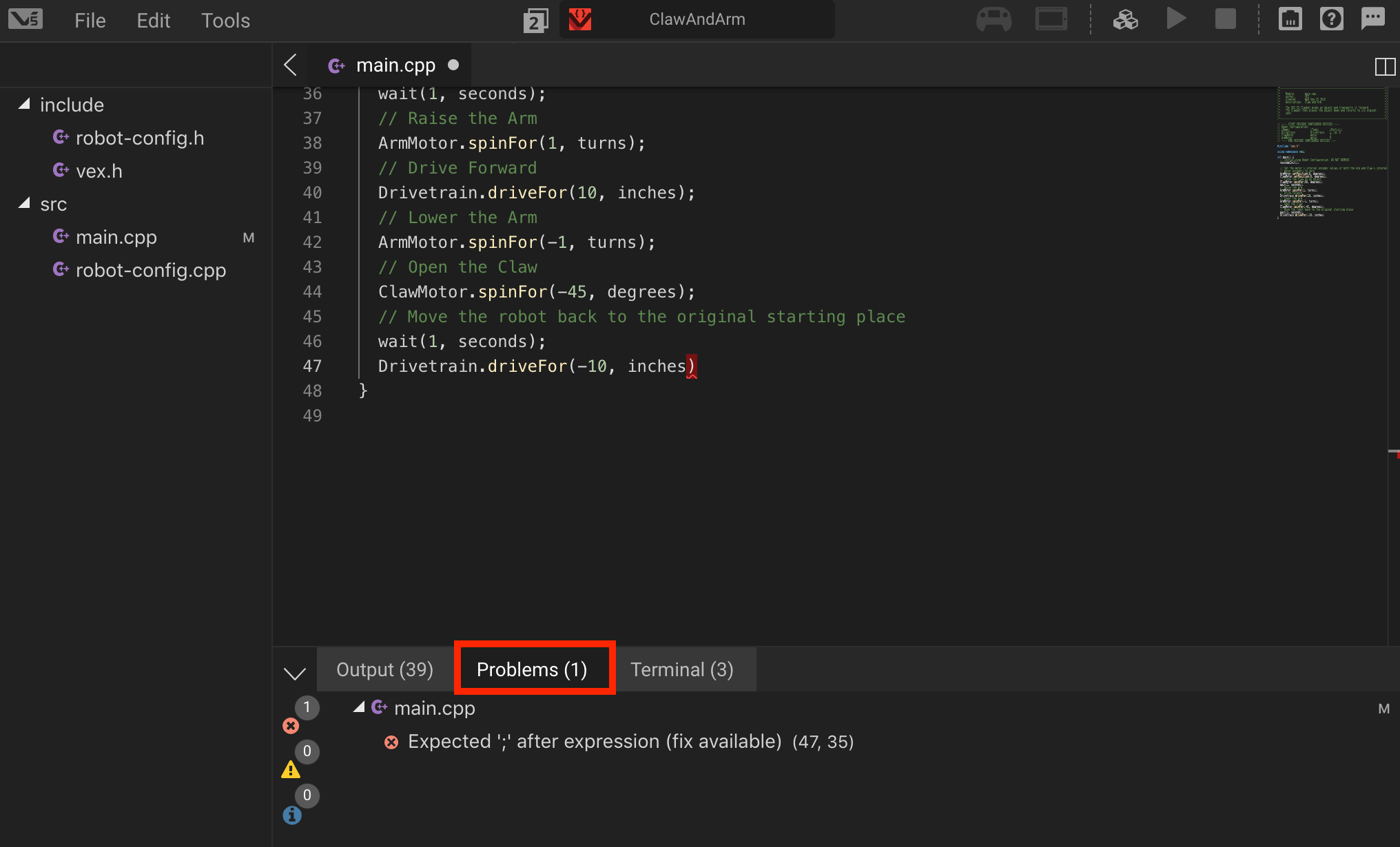
Afterwards, at around 2018-2019, VEX switched to V5, and everything was primarily VEXCode and PROS. There was no VSCode extension, so I programmed with this interface.

One big issue I faced was that any file updates sometimes didn’t appear in the explorer menu on the lefthand side. But the auto-generated robot and motor configuration was very nice however. → Note I was also taking computer science II, so I was learning Java as well which translated quite decently to C++.

The documentation and simplicity of VEXCode is the strongest strength. I even made a custom GUI auton selector with buttons and cool sensor readings, which was so cool at the time. (Currently working with TeamYouTube right now to recover the lost videos, so I need some time) Delta IV Menu (C++)

Afterwards, in around 2018/2019, I switched to PROS. I downloaded PROS with Atom and started programming and started to learn PID programming. However, at VEX Worlds in 2019, Atom completely wiped and corrupted the code in the save file. I did have a backup, but then Atom corrupted the backup too: Some basic questions from a newbie Robotics team - #9 by anon4126930

I, however, stuck with PROS until my last season. My last season, I switched to VEXCode, and had no major issues since. The documentation is hard to find, but once you get familiar with where to locate the documentation it was much easier to program. In fact, my first year in VEXU (WHOOP) in 2022, we used VEXCode and clean sweeped Texas State Championship in 2022 until later when the team switched to PROS, and the team cleaned sweep Texas State Championship in 2023 again.

In 2020, entering my new engineering program, I learned Python. Python is absolutely amazing language and I don’t blame teams for switching to it after blocks, but I just believe it’s better to just bite the bullet and learn C++ and data types because Python uses data types under the hood too. Having more understanding of what’s going on “under the hood” is very powerful because programming is more predictable.

As for VEX Robotics, I believe that VEXCode and PROS both are quite powerful but PROS typically have more libraries available made by the community. In fact, I made my own library that works for both PROS and VEXCode too, proving that both are equally just as powerful.

And here we are. In this order, I learned the following:

  1. LEGO Block coding (Blocks) 2011 (Personal)
  2. Roblox Lua (Lua) 2012 (Personal)
  3. ROBOTC (C) 2016 (VEX Robotics)
  4. Java 2017 (High School)
  5. VEXCode (C++) 2018 (VEX Robotics)
  6. PROS (C++) 2019 (VEX Robotics)
  7. Python 2020 (College, General Engineering)
  8. LaTeX 2022 (College, Computer Science)
  9. JavaScript 2022 (College, Computer Science)
  10. PhP 2023 (College, Computer Science)
  11. SQL 2023 (College, Computer Science)
  12. C# 2024 (College, Computer Science)
  13. R 2024 (College, Business Minor)

Man… :face_with_diagonal_mouth:

Check out the API site!
This should explain everything:

Im just a block code demon :scream:. but Im learning C++ over the summer. It is always nice to hear from you!